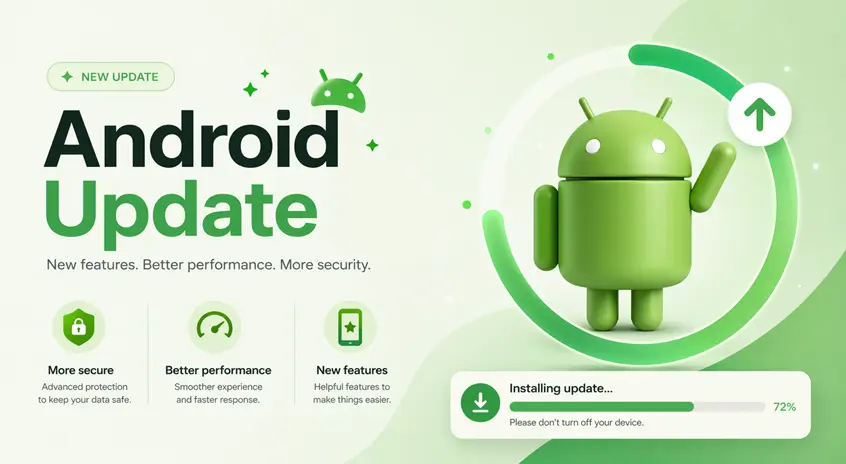
Google has started rolling out the April 2026 Android update, and while it may not look like a major upgrade, it brings improvements you’ll actually notice in daily use.
Unlike big feature updates, this one focuses on:
- Performance improvements
- Battery optimization
- Bug fixes
- Security updates
👉 This update is especially useful if your phone has been feeling slower or draining battery faster than usual.
⚡ Quick Summary (What You Get)
If you want a quick overview:
- Faster app performance
- Better battery efficiency
- Reduced lag and crashes
- Latest April 2026 security patch
👉 This is a stability-focused update, not a feature-heavy one.
🚀 What’s New in April 2026 Android Update
⚡ 1. Improved Performance & Speed
Android now handles apps and memory more efficiently.
👉 You may notice:
- Faster app opening
- Smoother multitasking
- Less lag while switching apps
👉 For example, users with older devices may notice smoother scrolling and fewer app crashes after updating.
If your phone still feels slow after the update, you can follow our complete guide on how to make your Android phone faster, where we explain practical steps to improve performance.
🔋 2. Better Battery Efficiency
Background apps are now optimized to use less power.
👉 Result:
- Improved standby time
- Reduced battery drain
If you are still experiencing battery drain, check our step-by-step guide on how to improve battery life on Android to optimize your device properly.
🧠 3. Smarter Memory Management
The system now uses RAM more intelligently.
👉 This helps:
- Prevent app crashes
- Keep apps running smoothly
New adaptive memory limits help Android manage apps more efficiently, especially during multitasking.
🐞 4. Major Bug Fixes
This update fixes several real-world issues:
- App crashes (especially banking & games)
- Missing UI elements
- Quick Share issues
👉 Many users experienced these bugs — now fixed
🔐 5. April 2026 Security Patch
Security is one of the biggest reasons to update.
👉 Includes:
- Fixes for system vulnerabilities
- Protection against new threats
Android releases monthly patches to keep devices secure
⚙️ 6. Google System Updates (Hidden Improvements)
Not all updates are visible.
Behind the scenes, updates improve:
- Android System Intelligence
- Device Health Services
- WebView performance
👉 These improve overall system reliability
🔍 Hidden Changes You’ll Notice
Even though this isn’t a flashy update, you may feel:
- Apps opening faster
- Less heating during usage
- Better battery backup
- Fewer random glitches
👉 These “small changes” make a big real-world difference
To get even more out of your device, you can also explore the best AI apps for Android, which help automate tasks and improve daily productivity.
👤 Who Should Install This Update
You should update your phone if:
- Your device feels slow
- You are facing app crashes
- Your battery drains quickly
- You want the latest security protection
👉 Even if your phone works fine, updating is recommended for security reasons.
📱 Which Devices Are Getting This Update?
The update is rolling out gradually to:
- Google Pixel devices (first)
- Samsung, OnePlus, and other Android brands (later)
👉 Availability depends on your device model and region.ne works fine, updating is recommended for security reasons.
⚠️ Common Mistakes to Avoid
- Ignoring updates (security risk)
- Installing update on very low battery
- Not restarting after update
👉 Always update safely for best results.
👍 My Recommendation
👉 You should install this update if:
- You want better performance
- You need improved battery life
- You want a more stable experience
👉 Even if you don’t notice big changes, this update improves your phone in the background.
⚡ Pro Tips
- Restart phone after update
- Clear cache for better performance
- Check battery usage after update
👉 Helps maximize improvement
You can also boost your overall phone performance by combining these updates with tips from our guide on how to make your Android phone faster.
🧠 Best Strategy
👉 Follow this simple rule:
Update → Optimize → Maintain
🔗 Related Guides
If your phone is still slow after the update:
👉 How to Make Your Android Phone Faster (2026 Guide)
If battery drain continues:
👉 How to Improve Battery Life on Android
To improve productivity:
👉 Best AI Apps for Android in 2026
🎯 Final Thoughts
The April 2026 Android update may not bring flashy features — but it improves what actually matters:
- Speed
- Stability
- Security
👉 These updates are what keep your phone running smoothly over time.