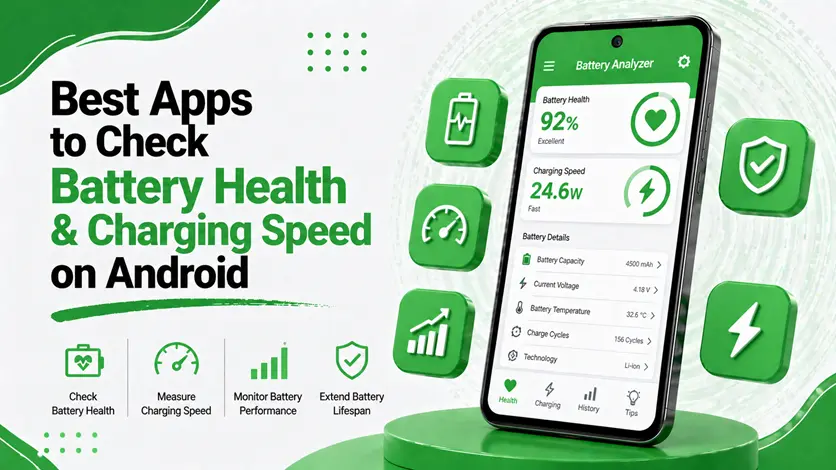
Is your Android phone charging slowly or losing battery faster than usual?
You’re not alone.
Over time, every smartphone battery starts to degrade — but most users don’t realize what’s happening until performance drops significantly.
👉 The good news is: you can monitor your battery health and charging speed easily.
👉 If your phone also feels slow or laggy, you can follow the guide to make your Android phone faster and boost performance with simple and practical steps.
With the right apps, you can check real-time charging current, battery condition, temperature, and usage patterns — helping you take better care of your device.
In this guide, you’ll discover the best apps to check battery health and charging speed on Android, along with how they actually help improve performance.
⚡ Quick Picks (Fast Overview)
- 🔋 Charging speed → Ampere
- 📊 Battery health → AccuBattery
- 🧠 Detailed system info → CPU-Z
- 📱 All-in-one monitoring → Battery Guru
🧠 Why You Should Monitor Battery Health
Your phone’s battery affects:
- Performance speed
- Charging efficiency
- Overall lifespan
👉 When battery health drops:
- Phone becomes slow
- Charging takes longer
- Overheating increases
👉 Monitoring helps you detect problems early and fix them faster.
🚀 Best Apps to Check Battery Health & Charging Speed
🔋 1. Ampere
Ampere is one of the most popular apps for checking real-time charging speed on Android devices. It shows how much current (mA) your phone is receiving while charging, helping you understand whether your charger and cable are working properly.
👉 When you plug in your phone, Ampere instantly displays:
- Charging current
- Battery status
- Temperature
- Voltage
This makes it easy to identify slow charging issues or faulty accessories.
⭐ Features:
- Real-time charging current measurement
- Battery temperature monitoring
- Charger and cable testing
- Simple and easy-to-read interface
🎯 Best for:
Checking charging speed and diagnosing slow charging problems
📊 2. AccuBattery
AccuBattery focuses on long-term battery health and usage analysis. It estimates your battery capacity and tracks how much wear your battery experiences over time.
👉 It helps you understand:
- How charging habits affect battery life
- When to unplug your phone
- How much battery capacity is remaining
It also provides detailed insights into screen usage and power consumption.
⭐ Features:
- Battery health estimation
- Charging speed tracking
- Usage statistics and history
- Charging alarm to prevent overcharging
🎯 Best for:
Users who want to improve battery lifespan and usage habits
🧠 3. CPU-Z
CPU-Z is a powerful system information app that also includes detailed battery data. While it’s mainly known for hardware insights, it provides accurate battery stats in a clean and simple format.
👉 You can check:
- Battery level
- Temperature
- Health status
- Voltage
It’s lightweight and doesn’t consume many resources.
⭐ Features:
- Detailed device information
- Accurate battery stats
- Lightweight performance
- No unnecessary features
🎯 Best for:
Users who want both system and battery information in one app
📱 4. Battery Guru
Battery Guru is an advanced battery monitoring app that helps you understand and improve your battery performance over time. It provides deep insights into charging patterns, battery health, and usage behavior.
👉 It tracks:
- Charging speed
- Battery cycles
- App usage impact
It also gives personalized tips to extend battery life.
⭐ Features:
- Battery health tracking
- Charging cycle monitoring
- Usage insights and recommendations
- Custom alerts and notifications
🎯 Best for:
Users who want a complete battery management solution
🔗 Improve Battery & Performance Together
Battery health is closely connected with overall phone performance.
👉 If your battery drains quickly, check the guide on how to improve battery life on Android for better usage habits.
👉 Too much temporary data can slow down your phone — follow the step-by-step method to clear cache on Android regularly.
👉 Low storage can also impact battery efficiency – learn how to free up phone storage fast and safely.
⚠️ Common Mistakes to Avoid
Avoid these habits:
- Using low-quality chargers
- Charging your phone overnight regularly
- Using phone heavily while charging
- Ignoring overheating issues
👉 These can reduce battery life significantly.
👍 My Recommendations
- Use trusted charging accessories
- Keep battery between 20%–80%
- Monitor battery health regularly
👉 Small habits make a big difference.
⚡ Pro Tips
- Avoid extreme heat
- Remove phone cover while charging (if overheating)
- Use original charger when possible
👉 This helps maintain battery health long-term.
🧠 Best Overall Strategy
Follow this system:
Monitor → Optimize → Maintain
- Monitor battery health
- Optimize charging habits
- Maintain good usage
👉 This ensures long-term performance.
🎯 Final Thoughts
Your battery is one of the most important parts of your smartphone — and ignoring it can lead to slow performance, poor charging, and long-term damage.
👉 With the right apps, you can easily track battery health, improve charging speed, and extend your device’s lifespan.
👉 Start monitoring today, and your phone will stay faster and more reliable over time.