
Studying today is very different from a few years ago.
Students are no longer limited to textbooks, notes, and long study hours. With the help of AI tools, you can now understand faster, write better, and manage your time more efficiently.
But here’s the problem…
👉 Most students don’t know how to actually use AI in their daily study routine.
That’s exactly what this guide solves.
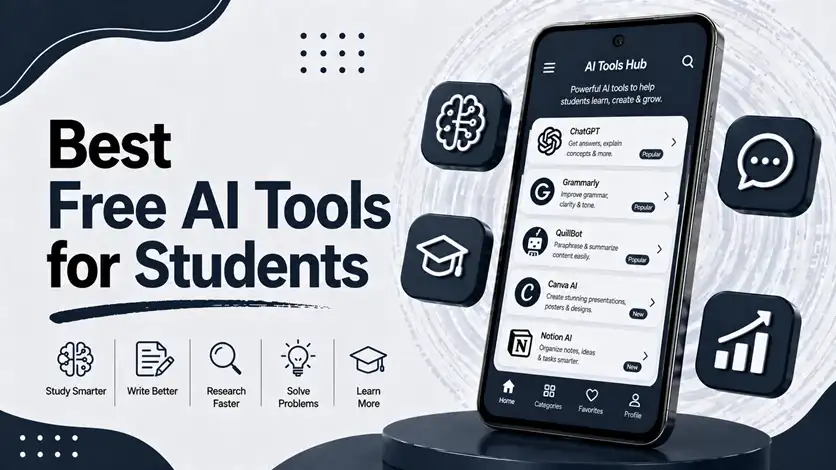
Instead of just listing apps, you’ll learn how to use the best free AI tools for students in real situations — from taking notes to preparing for exams.
⚡ Quick Overview (How AI Helps Students)
AI tools can help you:
- Summarize long chapters
- Generate notes quickly
- Solve doubts instantly
- Improve writing and assignments
- Plan your study schedule
👉 It’s like having a smart assistant for your studies.
🧠 Why Students Should Use AI Tools
AI is not about replacing studying — it’s about studying smarter.
With the right tools, you can:
- Save time on repetitive work
- Focus on understanding concepts
- Reduce stress during exams
- Stay more organized
👉 The goal is simple: less effort, better results.
🚀 Best Free AI Tools for Students (With Real Use Cases)
🤖 1. ChatGPT (Study Assistant)
One of the most powerful AI tools for students.
👉 You can use it to:
- Ask questions
- Get explanations
- Summarize topics
- Generate study notes
Instead of searching multiple websites, you get clear answers instantly.
It’s especially useful when you don’t understand a topic and need a simple explanation.
⭐ Features:
- Instant answers
- Concept explanations
- Writing help
- Multi-subject support
🎯 Best for:
Understanding concepts and quick study help
📝 2. Notion AI (Smart Notes & Organization)
Notion AI helps you manage notes and tasks in one place.
👉 It can:
- Summarize notes
- Rewrite content
- Organize study material
- Create structured notes
You can turn messy information into clean, organized notes within seconds.
⭐ Features:
- AI-powered note editing
- Task + notes integration
- Clean workspace
- Custom organization
🎯 Best for:
Students who want structured and organized notes
✍️ 3. Grammarly (Writing & Assignments)
Writing assignments can be time-consuming and stressful.
👉 Grammarly helps you:
- Fix grammar mistakes
- Improve sentence clarity
- Enhance writing quality
It doesn’t just correct errors — it teaches you how to write better.
⭐ Features:
- Grammar correction
- Tone suggestions
- Writing improvement tips
- Real-time feedback
🎯 Best for:
Assignments, essays, and professional writing
📊 4. QuillBot (Paraphrasing & Summarizing)
QuillBot is perfect for rewriting and simplifying content.
👉 You can:
- Paraphrase sentences
- Summarize long paragraphs
- Improve readability
This is especially useful when you need to understand complex topics quickly.
⭐ Features:
- Paraphrasing tool
- Summarizer
- Multiple writing modes
- Easy-to-use interface
🎯 Best for:
Simplifying and rewriting study material
🎧 5. Speechify (Text-to-Speech Learning)
Speechify converts text into audio.
👉 This means you can:
- Listen to notes
- Study while walking
- Revise without reading
It’s a great option for students who prefer audio learning.
⭐ Features:
- Text-to-speech conversion
- Adjustable speed
- Multi-language support
- Easy reading experience
🎯 Best for:
Audio learners and revision
🔗 Build a Complete Study System
AI tools work best when combined with the right productivity apps.
👉 To explore more general tools beyond student use, you can check the best AI apps for Android to work smarter and save time.
👉 To manage your study schedule effectively, follow the best apps for time management to stay organized and productive.
👉 If distractions interrupt your study sessions, try the best focus apps for Android to stay productive without distractions.
⚠️ Common Mistakes Students Make
Avoid these mistakes:
- Relying completely on AI without understanding
- Copy-pasting without learning
- Using too many tools at once
- Not verifying information
👉 AI should support your learning — not replace it.
👍 My Recommendations
- Use 2–3 AI tools only
- Focus on understanding, not shortcuts
- Combine AI with your own notes
👉 Smart usage gives the best results.
⚡ Pro Tips
- Use AI to simplify difficult topics
- Ask follow-up questions for clarity
- Use summarization for revision
👉 This saves time and improves understanding.
🧠 Best Study Strategy with AI
Follow this system:
Learn → Simplify → Revise
- Learn concepts
- Simplify using AI
- Revise effectively
👉 This improves retention and performance.
🎯 Final Thoughts
AI tools are changing how students learn — but the real advantage comes from using them correctly.
👉 When used smartly, these tools can save time, reduce stress, and improve your overall performance.
👉 If you want a complete daily system, you can also explore the daily productivity apps routine for the best apps combination guide.
Start using AI the right way, and studying will become faster, easier, and more effective.

