
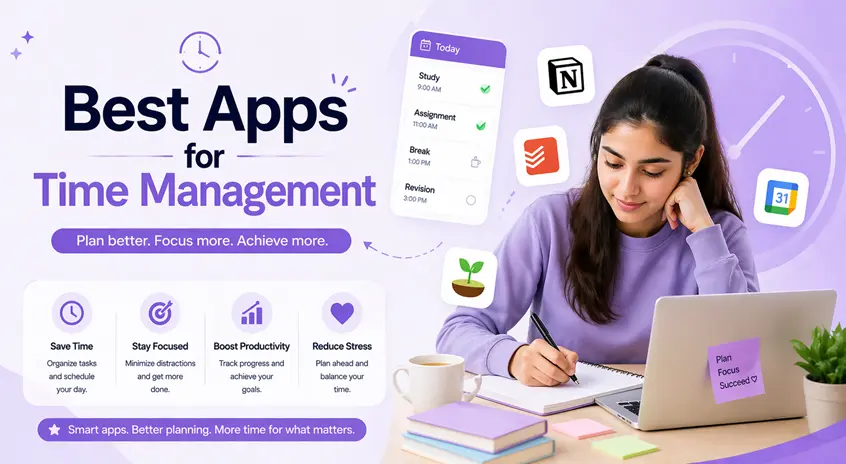
Managing time effectively has become one of the biggest challenges in today’s fast-paced digital world. Whether you’re a student, freelancer, or working professional, staying organized and focused can make a huge difference in your productivity.
The good news? You don’t need complicated systems.
👉 You just need the right tools — and the right approach.
In this guide, we’ll explore the best apps for time management in 2026 that can help you plan your day, reduce distractions, and use your time more efficiently.
👉 If you want to automate tasks and save even more time, you can explore the best AI apps for Android (work smarter & boost productivity) to simplify your daily workflow.
⚡ Quick Start (Best Apps to Try First)
If you don’t want to overthink, start with these:
- Todoist → For managing daily tasks
- Google Calendar → For planning your schedule
- Forest → For staying focused
👉 This simple combination works for most people.
⏳ 1. Todoist – Best App for Simple Task Management
Todoist is one of the most popular apps for managing daily tasks. It’s perfect if you often feel overwhelmed or forget important work.
For example, you can create a task like “Complete assignment,” set a deadline, and get reminders — all in a clean and distraction-free interface.
Key Features:
- Task scheduling with reminders
- Priority levels
- Project organization
👉 Best for: Students and professionals who want a simple and effective task manager
📅 2. Google Calendar – Best for Planning Your Day
Google Calendar helps you organize your entire day visually. Instead of guessing what to do next, you can see your schedule clearly.
For instance, you can block time for studying, meetings, or breaks — which improves productivity significantly.
Key Features:
- Event scheduling
- Reminders and notifications
- Sync across all devices
👉 Best for: Daily planning and time blocking
⏱️ 3. RescueTime – Best for Tracking Your Time
RescueTime works silently in the background and shows how you actually spend your time.
Many people think they are productive, but this app reveals the truth — helping you identify distractions and improve habits.
Key Features:
- Automatic time tracking
- Productivity reports
- Focus alerts
👉 Best for: Understanding and improving your time usage
🌳 4. Forest – Best App to Avoid Distractions
Forest uses a simple but powerful idea — you grow a virtual tree while staying focused.
If you leave the app, your tree dies. This creates a strong motivation to avoid distractions, especially phone usage.
Key Features:
- Focus timer
- Gamified productivity
- Reduces phone usage
👉 Best for: Students who struggle with distractions
🧠 5. Notion – Best All-in-One Productivity Tool
Notion is more than just an app — it’s a complete productivity system.
You can manage tasks, take notes, plan projects, and even create your own workflows. It’s powerful but may take some time to learn.
Key Features:
- Custom dashboards
- Task tracking
- Notes and databases
👉 Best for: Users who want everything in one place
To organize your ideas and plans effectively, you can also use the best note-taking apps for Android (students & professionals) for better clarity and structure.
⏳ 6. Focus To-Do – Best for Deep Work Sessions
This app is based on the Pomodoro technique, which helps you work in short, focused intervals.
It’s ideal for people who find it hard to concentrate for long periods.
Key Features:
- 25-minute focus sessions
- Task tracking
- Productivity reports
👉 Best for: Deep work and concentration
📊 7. Trello – Best for Visual Task Management
Trello uses boards and cards to organize tasks visually.
For example, you can create columns like “To Do,” “In Progress,” and “Completed,” making it easier to track your progress.
Key Features:
- Drag-and-drop interface
- Project tracking
- Team collaboration
👉 Best for: Managing projects and teamwork
🔔 8. Any.do – Best for Simple Daily Planning
Any.do is perfect if you want a clean and simple way to manage your day.
It’s easy to use and great for people who don’t want complex features.
Key Features:
- Task lists
- Daily planning
- Voice input
👉 Best for: Quick and simple task tracking
🤔 How to Choose the Right App
Not every app is suitable for everyone.
👉 Use this simple guide:
- Beginner → Todoist or Any.do
- Planning-focused → Google Calendar
- Distraction issues → Forest
- Advanced users → Notion
- Deep work → Focus To-Do
👉 Choose 2–3 apps only — avoid using too many.
⚠️ Common Mistakes to Avoid
Many people fail to manage time because of these mistakes:
- Using too many apps at once
- Not following a system
- Relying only on apps without habits
- Ignoring daily planning
👉 Apps help – but your discipline matters more.
Even with the best planning tools, distractions can reduce productivity. To stay consistent, you can check the best focus apps for Android that help you block distractions and improve concentration.
👍 My Recommendations
If you’re confused, start with this simple setup:
- Google Calendar → Plan your day
- Todoist → Manage tasks
- Forest → Stay focused
👉 This combination works for most people and is easy to maintain.
⚡ Pro Tips
- Plan your day the night before
- Don’t overload your task list
- Use time blocking for better focus
- Turn off unnecessary notifications
- Take short breaks to avoid burnout
👉 Small improvements in habits can create big results.
Managing time becomes easier when you build consistent habits. You can explore the best habit tracker apps for Android (build better daily routines) to stay on track.
🧠 Best Overall Strategy
Instead of using random apps, follow this system:
Step 1: Plan
Use Google Calendar to schedule your day.
Step 2: Organize
Use Todoist or Notion to manage tasks.
Step 3: Focus
Use Forest or Pomodoro apps to avoid distractions.
Step 4: Review
Check your progress at the end of the day.
👉 This system creates long-term productivity.
🎯 Final Thoughts
Time management is not about doing more — it’s about doing the right things at the right time.
You don’t need every app on this list. Just choose a few that fit your needs and use them consistently.
Start simple, stay consistent, and over time, you’ll notice better focus, improved productivity, and less stress.

