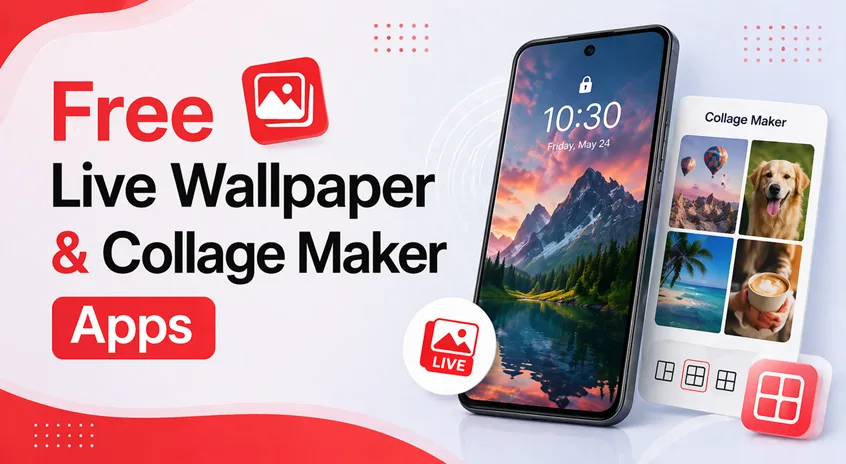
Does your phone look boring or feel outdated?
Many Android users want a stylish, modern look — but don’t know how to customize their phone or create attractive photo collages without editing skills.
👉 The good news is: you don’t need to be a designer.
With the right apps and a simple setup, you can:
- Create animated live wallpapers
- Design beautiful photo collages
- Make your phone look clean, aesthetic, and premium
In this guide, you’ll learn step-by-step how to use live wallpaper and collage maker apps, plus the best free apps in 2026.
👉 Wallpapers are just one part of customization. You can explore the best Android personalization apps to combine wallpapers, widgets, and layouts for a complete setup.
⚡ Quick Setup (Do This First)
If you want instant results, follow these steps:
- Install a live wallpaper app (Zedge or Backdrops)
- Set a simple animated wallpaper
- Use a collage maker app to create one clean design
- Avoid adding too many effects
👉 This alone can completely transform your phone’s look.
🎬 PART 1: How to Create Live Wallpapers (Step-by-Step)
📥 Step 1: Install and Set Up the App
- Open Play Store
- Search for Live Wallpaper apps
- Install a trusted app (like Zedge or Muzei)
- Open the app and allow:
- Photos/media access
- Wallpaper permission
👉 Without permissions, wallpapers won’t apply properly.
🎨 Step 2: Choose the Right Wallpaper Style
Inside the app, you’ll find multiple styles:
- 🌿 Nature (calm and relaxing)
- ✨ Neon (bold and modern)
- 🎨 Abstract (artistic look)
- 🎥 Video wallpapers (dynamic feel)
👉 Choose ONE style — mixing styles makes your screen look messy.
⚙️ Step 3: Customize the Wallpaper
Before applying, adjust settings like:
- Animation speed → keep it slow for a premium feel
- Brightness or blur → improves icon visibility
- Sound (optional) → usually better to keep off
👉 Small adjustments make a big difference. To match wallpapers with icons and layout, follow the complete guide on how to customize your Android phone.
📱 Step 4: Apply Wallpaper Properly
Tap Set Wallpaper and choose:
- Home screen only (recommended)
- Lock screen
- Both
👉 Best practice:
Use live wallpaper on home screen and keep lock screen simple.
🖼️ PART 2: How to Create Photo Collages (Step-by-Step)
📸 Step 1: Select Your Photos
- Open collage maker section
- Choose 2–10 photos
- Pick images with similar color tones
👉 Matching colors create better designs.
📐 Step 2: Choose Layout Style
Select a layout that fits your purpose:
- 📦 Grid → clean and simple
- 🎨 Free style → creative
- 📰 Magazine → social media look
🎨 Step 3: Customize Your Collage
Adjust:
- Borders (keep them thin)
- Background color or blur
- Add text or stickers (don’t overdo it)
👉 Minimal designs look more professional.
💾 Step 4: Save and Share
- Export in HD quality
- Share to:
👉 Always use HD for better clarity.
📱 PART 3: Best Free Live Wallpaper Apps in 2026
🌈 1. Zedge Wallpapers & Ringtones – Best All-in-One App
Zedge is one of the most popular apps for wallpapers and customization.
Why it stands out:
- Huge collection of live wallpapers
- Easy one-tap apply
- Also includes ringtones
👉 Best for: Beginners who want everything in one place
🎨 2. Backdrops – Best for Minimal Designs
Backdrops offers high-quality curated wallpapers with a clean interface.
Key Features:
- Daily new wallpapers
- Artistic designs
- Smooth user experience
👉 Best for: Minimal and aesthetic setups
🧠 3. Muzei Live Wallpaper – Best for Subtle Look
Muzei automatically changes wallpapers and keeps your screen clean.
Features:
- Rotating wallpapers
- Background blur for icons
- Lightweight and smooth
👉 Best for: Elegant and simple customization
🎥 4. Wallpaper Engine – Best for Advanced Users
This app allows deep customization with animated and interactive wallpapers.
Features:
- Sync wallpapers from PC
- Video wallpapers
- Interactive effects
👉 Best for: Users who want premium-level customization
🌌 5. Walli – Best for Artistic Wallpapers
Walli focuses on artist-created wallpapers.
Why it’s unique:
- Creative designs
- High resolution
- Supports artists
👉 Best for: Unique and creative phone themes
👉 To create a more functional and stylish setup, you can combine wallpapers with the best widget apps for Android for a complete home screen experience.
🤔 How to Choose the Right App
Not every app is suitable for everyone.
👉 Use this guide:
- Beginner → Zedge
- Minimal look → Backdrops or Muzei
- Advanced customization → Wallpaper Engine
- Creative designs → Walli
👉 Choose 1–2 apps only for best results.
⚠️ Common Mistakes to Avoid
Avoid these mistakes:
- Using too many animated wallpapers
- Mixing different styles
- Adding too many widgets
- Over-editing collages
👉 Simplicity always looks better.
👍 My Recommendations
For a clean and modern setup:
- Use Backdrops or Muzei for home screen
- Use Zedge for variety
- Keep lock screen simple
- Use collage maker only when needed
👉 This keeps your phone stylish without slowing it down.
⚡ Pro Tips
- Use dark wallpapers to save battery (AMOLED screens)
- Keep animation speed slow
- Change wallpapers weekly
- Export collages in HD
- Stick to one theme
👉 Small details make your setup look premium. To create a more dynamic setup, you can combine wallpapers with the best charging animation apps for Android.
🧠 Best Overall Strategy
Follow this system:
Step 1: Choose
Pick one design style (minimal, neon, pastel).
Step 2: Customize
Apply wallpaper, icons, and layout.
Step 3: Optimize
Keep widgets and effects minimal.
Step 4: Maintain
Avoid changing everything daily.
👉 Consistency creates a polished look.
🎯 Final Thoughts
Live wallpaper and collage maker apps are powerful tools — but only when used correctly.
You don’t need dozens of apps or complex designs.
👉 The real secret is simplicity and consistency.
Keep your setup clean, avoid clutter, and focus on a single style. That’s what makes your phone look modern and premium in 2026.