
Being a student today is not just about attending classes and completing assignments. Managing time, staying focused, and keeping everything organized has become equally important.
The problem? There are thousands of apps available, and not all of them are actually useful.
👉 Instead of wasting time trying random apps, you need tools that truly help.
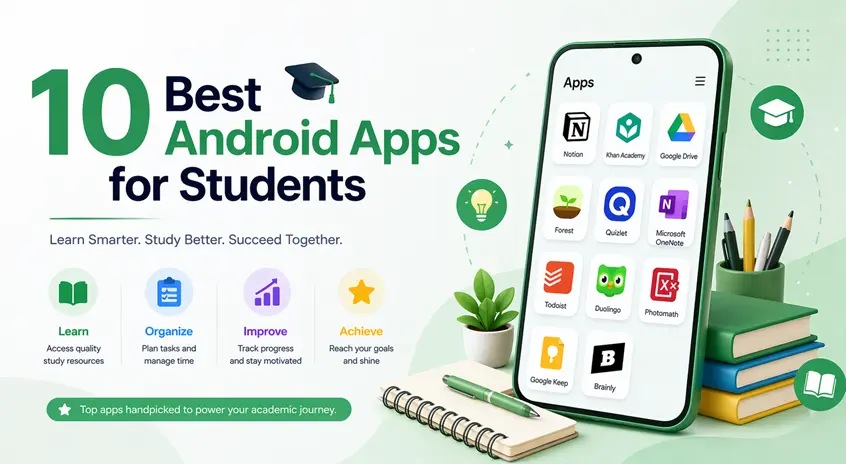
In this guide, we’ve handpicked the best Android apps for students that can improve productivity, focus, and learning — without making things complicated.
⚡ Quick Start (Best Apps to Use First)
If you’re not sure where to begin, start with these:
- Notion → For organizing everything
- Forest → For staying focused
- Quizlet → For learning and revision
👉 This simple combination works for most students.
🎯 1. Notion – Best All-in-One Study Companion
Notion is one of the most powerful productivity apps for students. It allows you to manage notes, assignments, and daily planning in one place.
For example, you can create a study planner, track deadlines, and organize subjects without switching between multiple apps.
Why students love it:
- Everything in one app
- Clean and distraction-free interface
- Highly customizable
👉 Best for: Students who want a complete organization system
🧠 2. Google Keep – Best for Quick Notes and Reminders
Sometimes, you don’t need a complex app — just something fast and reliable.
Google Keep is perfect for quickly writing ideas, saving notes during lectures, or setting reminders.
Key Features:
- Voice notes
- Quick reminders
- Sync across devices
👉 Best for: Quick note-taking and daily reminders
⏳ 3. Forest – Best App to Beat Procrastination
Staying focused is one of the biggest challenges for students. Forest solves this in a unique way.
When you start studying, you plant a virtual tree. If you leave the app, the tree dies — which motivates you to stay focused.
Key Features:
- Focus timer
- Gamified productivity
- Reduces phone distractions
👉 Best for: Students who struggle with distractions
📚 4. Quizlet – Best for Smart Learning and Revision
Quizlet helps students study using flashcards, quizzes, and interactive learning tools.
For example, you can create flashcards for formulas or definitions and test yourself anytime.
Key Features:
- Custom flashcards
- Practice tests
- Multiple study modes
👉 Best for: Memorization and revision
📖 5. Microsoft OneNote – Best Digital Notebook
OneNote replaces traditional notebooks by allowing you to store everything digitally.
You can write notes, add images, and organize subjects in one place — making study material easier to manage.
Key Features:
- Organized notebooks
- Multimedia support
- Easy syncing
👉 Best for: Organizing study materials digitally
🔢 6. Photomath – Best for Learning Math Step-by-Step
Math can be challenging, but Photomath makes it easier by showing step-by-step solutions.
Instead of just giving answers, it helps you understand how the solution works.
Key Features:
- Scan math problems
- Step-by-step explanations
- Easy interface
👉 Best for: Understanding math concepts
📅 7. My Study Life – Best for Student Scheduling
This app is designed specifically for students to manage academic schedules.
You can track classes, assignments, and exams in one place.
Key Features:
- Class schedules
- Assignment tracking
- Exam reminders
👉 Best for: Managing school and study schedules
🎧 8. Spotify – Best for Focus Music
It might sound unusual, but the right music can improve concentration.
Many students use instrumental or lo-fi music playlists to stay focused during study sessions.
Key Features:
- Focus playlists
- Offline listening
- Personalized recommendations
👉 Best for: Improving concentration with background music
📊 9. Khan Academy – Best Free Learning App
Khan Academy offers high-quality lessons in subjects like math, science, and more.
It’s like having a personal tutor available anytime.
Key Features:
- Video lessons
- Practice exercises
- Completely free
👉 Best for: Learning concepts in depth
🧾 10. CamScanner – Best for Digitizing Notes
CamScanner helps you convert handwritten notes into digital PDFs.
This makes it easier to organize and access your study materials anytime.
Key Features:
- Document scanning
- PDF creation
- Easy sharing
👉 Best for: Managing physical notes digitally
⚠️ Common Mistakes to Avoid
Many students make these mistakes while using apps:
- Installing too many apps at once
- Switching between tools frequently
- Not following a study routine
- Using apps without proper planning
👉 Apps are helpful, but discipline is what truly improves productivity.
👍 My Recommendations
If you’re confused about where to start:
- Notion → For organization
- Forest → For focus
- Google Keep → For quick notes
- Photomath → For math learning
👉 Try using Notion + Forest together for best results.
⚡ Pro Tips
- Don’t install too many apps at once
- Set a fixed study routine
- Turn off notifications while studying
- Use cloud-based apps for backup
- Review notes daily
👉 Apps should support your study — not distract you.
🧠 Best Overall Strategy
Instead of relying on too many tools, follow this system:
Step 1: Organize
Use Notion or OneNote to manage notes and tasks.
Step 2: Focus
Use Forest or a timer to avoid distractions.
Step 3: Learn Smart
Use Quizlet or Khan Academy for better understanding.
Step 4: Review
Spend 10–15 minutes revising daily.
👉 This approach creates consistent productivity.
🎯 Final Thoughts
The right tools can make a big difference in how you study and manage your time.
But remember — apps alone won’t improve your productivity.
👉 What matters is how you use them.
Start with a few apps, stay consistent, and over time you’ll notice a real improvement in your focus and learning.

