
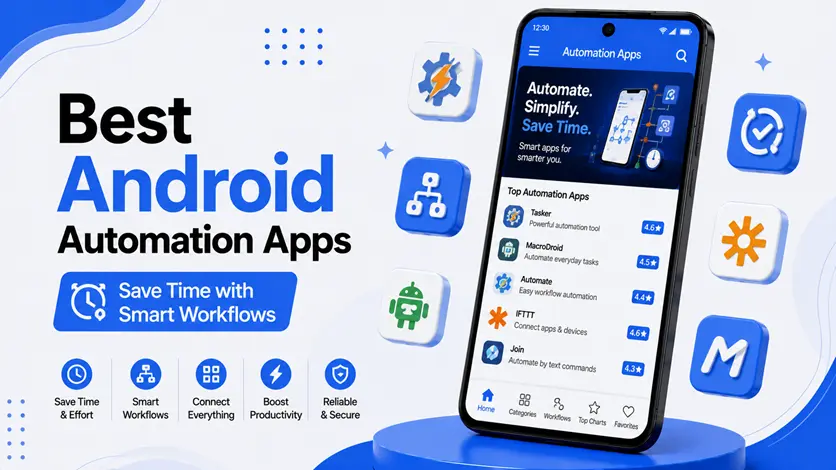
Imagine your phone doing tasks automatically — turning on Wi-Fi when you reach home, muting notifications during meetings, or sending reminders without you lifting a finger.
That’s exactly what Android automation apps are designed for.
Instead of manually managing everything, these apps help you create smart workflows that save time, reduce effort, and improve productivity.
👉 If you want to go beyond basic automation and make your workflow smarter, you can explore the best AI apps for Android (work smarter, save time & boost productivity) to automate tasks intelligently and improve efficiency.
In this guide, you’ll discover the best Android automation apps that help you simplify daily tasks and build efficient workflows.
🤖 What Are Android Automation Apps?
Android automation apps allow your phone to perform tasks automatically based on specific triggers like:
- Time (e.g., night mode)
- Location (e.g., arriving home)
- App usage
- System events (battery level, Wi-Fi status)
👉 These apps follow a simple logic:
Trigger → Condition → Action
For example:
When you reach home → Turn on Wi-Fi → Turn off mobile data
⚡ Benefits of Using Automation Apps on Android
If you use your phone daily for work, study, or routine tasks, you’ve probably noticed how often you repeat the same actions. This is where automation apps become incredibly useful.
Instead of manually handling everything, automation helps your phone take care of routine tasks in the background, making your overall experience smoother and more efficient.
⏱️ Saves Time on Everyday Tasks
Small actions like turning Wi-Fi on/off, switching settings, or opening apps may seem minor, but they add up over time. Automation handles these instantly, helping you save time without even noticing.
⚙️ Reduces Manual Effort
You don’t need to remember every small task anymore. Once you set up automation, your phone automatically performs actions based on your routine, making things much more convenient.
🎯 Improves Productivity
When repetitive tasks are handled automatically, you can focus on more important work instead of getting distracted by small actions.
👉 To manage your time more effectively along with automation, you can explore the best apps for time management (stay organized & productive) and plan your day better.
🔕 Helps Reduce Distractions
Automation can mute notifications, enable silent mode, or trigger focus settings during work hours, helping you stay concentrated.
👉 You can also use the best focus apps for Android (stay productive without distractions) to further improve your concentration.
🔄 Creates a Smarter Workflow
Automation connects multiple actions into a single flow. For example, a morning routine can automatically turn on Wi-Fi, check the weather, and open your planner app.
👉 To build a complete system, you can follow the daily productivity apps routine (best apps combo guide) and combine automation with a structured workflow.
🔋 Can Improve Battery & Performance
Automation can manage background features like Bluetooth, location, and sync settings, which can help optimize battery usage and improve overall performance.
🧠 Why This Matters
Automation is not just about convenience – it’s about creating a smarter way to use your phone.
👉 Instead of reacting to tasks throughout the day, you build a system where things happen automatically, saving time and reducing effort.
⚡ Quick Picks (Top Automation Apps)
- 🥇 Best overall → Tasker
- 🎯 Best beginner-friendly → MacroDroid
- 🔥 Best smart automation → IFTTT
- ⚡ Best simple triggers → Automate
🤖 Best Android Automation Apps
🥇 1. Tasker (Most Powerful Automation Tool)
Tasker is the most advanced automation app available for Android.
👉 It allows you to create complex automation workflows based on triggers, conditions, and actions.
⭐ What makes it powerful:
- Automate almost anything on your phone
- Create custom profiles (location, time, app usage)
- Deep system-level control
- Integration with plugins and external apps
👉 For example, you can:
- Automatically turn on silent mode at night
- Launch apps based on location
- Control smart devices
👉 Tasker has a learning curve, but once mastered, it becomes a complete automation powerhouse.
🎯 2. MacroDroid (Beginner-Friendly Automation)
MacroDroid is perfect if you want automation without complexity.
👉 It uses a simple system:
Trigger → Action → Condition
⭐ Key features:
- Easy-to-use interface
- Pre-built automation templates
- Battery-friendly performance
- Supports common tasks like Wi-Fi, Bluetooth, and notifications
👉 Example:
- Turn on Wi-Fi when you reach home
- Disable mobile data at night
👉 Ideal for users who want simple automation without technical setup.
🔥 3. IFTTT (Smart App & Web Automation)
IFTTT (If This Then That) connects your apps and services together.
👉 It focuses on cloud-based automation, not just your phone.
⭐ Features:
- Connect apps like Google Drive, Gmail, social media
- Automate online workflows
- Ready-made automation recipes (applets)
👉 Example:
- Save email attachments to Google Drive automatically
- Post social media updates across platforms
👉 Best for users who want automation beyond just their phone.
⚡ 4. Automate (Visual Workflow Automation)
Automate offers a unique flowchart-style automation system.
👉 Instead of coding, you create workflows visually.
⭐ Features:
- Drag-and-drop automation blocks
- Supports both simple and advanced workflows
- Great balance between power and usability
👉 Example:
- Create multi-step automation with logic conditions
- Automate system settings dynamically
👉 Perfect for users who want visual control over automation logic.
🧠 5. Bixby Routines / Google Assistant Routines (Built-in Automation)
Many Android devices already include automation features.
👉 These built-in tools allow:
- Time-based routines
- Location triggers
- Voice-controlled automation
👉 Example:
- “Good Morning” routine → turns on Wi-Fi, shows weather
- “Night Mode” → silences phone and dims screen
👉 Best for users who want basic automation without installing apps.
⚠️ Common Mistakes to Avoid
Avoid these when using automation apps:
- Creating too many complex workflows
- Automating unnecessary tasks
- Ignoring battery impact
- Not testing automation properly
👉 Start simple and build gradually.
👍 My Recommendations
For best results:
- Start with MacroDroid (beginner)
- Move to Tasker (advanced)
- Combine automation with productivity apps
👉 Automation should simplify your life, not complicate it.
👉 Building consistent routines is key to long-term productivity. You can use the best habit tracker apps for Android (build better daily routines) to support and maintain your automated workflows.
⚡ Pro Tips
- Automate repetitive tasks first
- Use location-based triggers
- Combine automation with routines
- Keep workflows simple and efficient
👉 Small automations create big impact.
👉 For a cleaner and distraction-free experience, you can also explore the best minimal apps for Android (lightweight & fast apps) to keep your workflow simple and efficient.
🧠 Best Automation Strategy
Follow this system:
Identify → Automate → Optimize
- Identify repetitive tasks
- Automate them
- Optimize for efficiency
👉 This builds a smarter workflow.
🎯 Final Thoughts
Android automation apps can completely change how you use your phone.
👉 Instead of doing everything manually, you can create a system where your phone works for you.
👉 Start small, experiment with workflows, and gradually build a smarter, more efficient routine.

