Want your Android phone to look clean, modern, and premium?
One of the easiest ways to transform your device is by using icon pack apps.
Instead of the default mismatched icons, icon packs give your home screen a consistent, stylish, and visually appealing look — just like high-end custom setups you see online.
👉 The best part? You don’t need technical skills to use them.
👉 If you want a complete makeover, you can also explore the best Android personalization apps (customize your phone like a pro) to build a fully customized setup.
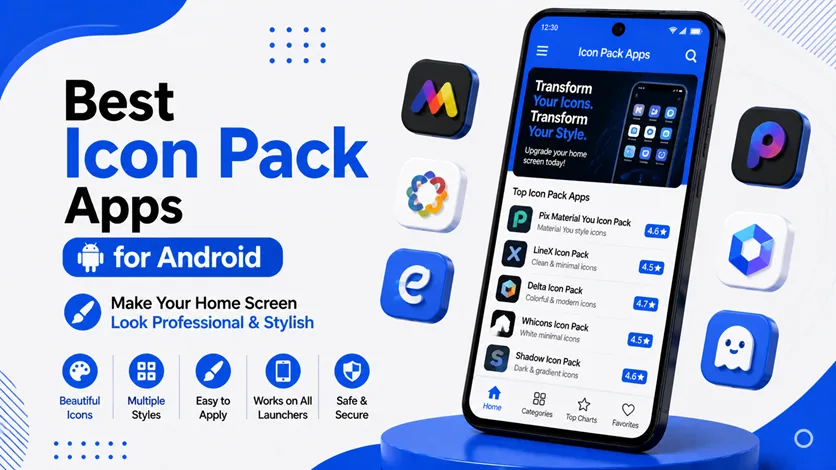
In this guide, you’ll discover the best icon pack apps for Android, along with tips to choose the perfect style for your device.
⚡ Quick Picks (Top Icon Packs)
- 🥇 Best overall → Delta Icon Pack
- 🎯 Best minimal look → Whicons
- 🔥 Best colorful design → CandyCons
- ⚡ Best premium feel → Viral Icon Pack
🎨 Best Icon Pack Apps for Android
🥇 1. Delta Icon Pack (Soft & Minimal Style)
Delta Icon Pack is one of the most popular free icon packs, known for its soft pastel colors and minimal design.
👉 It offers:
- Thousands of custom icons
- Consistent color tones
- Clean and distraction-free look
👉 Perfect for users who prefer a simple and modern home screen without bright or harsh colors.
🎯 2. Whicons (Pure Minimal White Icons)
Whicons is designed for users who love minimalism and clean aesthetics.
👉 It features:
- Pure white icons
- Simple design
- Lightweight performance
👉 Works best with dark wallpapers, creating a high-contrast premium look.
🔥 3. CandyCons (Colorful & Balanced Icons)
CandyCons is ideal if you want a balanced mix of color and simplicity.
👉 It includes:
- Bright yet soft color palette
- Consistent icon shapes
- Regular updates
👉 Great for users who want a lively but still organized home screen.
⚡ 4. Viral Icon Pack (Dark & Premium Style)
Viral Icon Pack offers a dark, elegant design with a slightly glossy finish.
👉 It provides:
- Stylish dark tones
- Detailed icon design
- High-quality visuals
👉 Perfect for users looking for a premium and bold UI style.
🧠 5. Pix Material Icon Pack (Google Pixel Style)
Pix Material Icon Pack is inspired by Google Pixel UI design.
👉 It offers:
- Material design icons
- Smooth and consistent shapes
- Clean UI experience
👉 Ideal for users who want a stock Android look with improvements.
🔗 Complete Your Home Screen Setup
Icon packs work best when combined with other customization tools.
👉 To fully customize your device, follow the complete guide on how to customize your Android phone (clean & premium look).
👉 You can also enhance your home screen using the best widget apps for Android (stylish home screen setup guide) for added functionality and design.
👉 For a complete transformation, explore the best launcher apps for Android (complete UI transformation guide) to control layout, gestures, and animations.
⚠️ Common Mistakes to Avoid
Avoid these:
- Mixing different icon styles
- Using overly complex designs
- Ignoring launcher compatibility
👉 Consistency is key for a professional look.
👍 My Recommendations
For best results:
- Choose one style (minimal, dark, or colorful)
- Match icons with wallpaper
- Keep your layout clean
👉 A simple setup always looks more premium.
⚡ Pro Tips
- Use dark wallpapers with light icons
- Keep icon size balanced
- Avoid cluttered home screens
- Combine with widgets carefully
👉 Small adjustments make a big difference.
🧠 Best Customization Strategy
Follow this system:
Select → Match → Refine
- Select icon style
- Match with wallpaper
- Refine layout
👉 This creates a polished setup.
🎯 Final Thoughts
Icon packs are one of the easiest and most effective ways to upgrade your Android phone’s look.
👉 With the right combination of icons, wallpaper, and layout, you can create a clean, stylish, and professional home screen.
👉 Start simple, experiment with styles, and build a setup that reflects your personality.