Bored of the same home screen on your Android phone?
That’s where launcher apps come in.
A good launcher can completely transform your phone’s look and feel — from layout and icons to gestures and animations — without changing your device.
👉 The best part? You don’t need any technical knowledge.
👉 If you want a complete customization setup, you can explore the best Android personalization apps (customize your phone like a pro) to build a clean and premium-looking UI.
In this guide, you’ll discover the best launcher apps for Android that help you create a faster, smoother, and more stylish home screen.
⚡ Quick Picks (Top Launcher Apps)
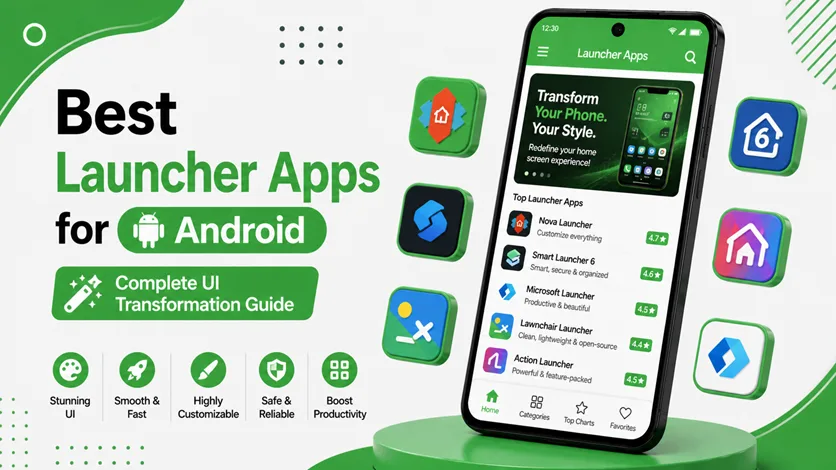
- 🥇 Best overall → Nova Launcher
- 🎯 Best for minimal UI → Niagara Launcher
- 🔥 Best for customization → Smart Launcher 6
- ⚡ Best for simplicity → Lawnchair Launcher
🚀 Best Launcher Apps for Android
🥇 1. Nova Launcher (Best Overall)
Nova Launcher is one of the most popular and powerful launchers available.
👉 It gives you full control over your home screen.
⭐ Features:
- Custom grid layout
- Icon size and style control
- Gesture support
- Backup & restore
👉 What makes it special is its balance between performance and customization. It runs smoothly even on mid-range devices while offering deep control.
🎯 2. Niagara Launcher (Minimal & Clean)
Niagara Launcher is designed for simplicity and one-handed use.
👉 It focuses on a clean, distraction-free experience.
⭐ Features:
- Vertical app list
- Minimal home screen
- Fast navigation
- Notification integration
👉 Perfect for users who want a modern and clutter-free setup.
🔥 3. Smart Launcher 6 (Advanced Customization)
Smart Launcher offers a smart and organized approach to Android UI.
👉 It automatically categorizes your apps and keeps your layout clean.
⭐ Features:
- Auto app sorting
- Adaptive icons
- Custom themes
- Smart search
👉 Great for users who want automation + customization together.
⚡ 4. Lawnchair Launcher (Pixel Experience)
Lawnchair Launcher brings a Google Pixel-like experience to any Android device.
👉 It focuses on:
- Clean UI
- Smooth animations
- Stock Android feel
⭐ Features:
- Pixel-style layout
- Google feed integration
- Icon pack support
👉 Ideal for users who want a simple yet premium UI.
🧠 5. Microsoft Launcher (Productivity + Customization)
Microsoft Launcher combines productivity features with customization.
👉 It’s perfect for users who want more than just design.
⭐ Features:
- Personalized feed
- Calendar and task integration
- Smooth performance
- Cross-device sync
👉 Great for users who want a functional and organized home screen.
🔗 Complete Your Android Customization
Launchers are just the beginning of personalization.
👉 To fully customize your device, follow the complete guide on how to customize your Android phone (clean & premium look).
👉 You can enhance visuals further using the best icon pack apps for Android (make your home screen look professional and stylish).
👉 Add functionality and style with the best widget apps for Android (stylish home screen setup guide).
⚠️ Common Mistakes to Avoid
Avoid these:
- Installing too many launchers
- Over-customizing layouts
- Using heavy animations
👉 These can reduce performance.
👍 My Recommendations
For best results:
- Choose one launcher and stick with it
- Keep your layout simple
- Match launcher with icons and widgets
👉 A clean setup always looks better.
⚡ Pro Tips
- Use gestures for faster navigation
- Keep app drawer organized
- Use minimal widgets
- Avoid clutter
👉 Small changes improve usability.
🧠 Best Launcher Strategy
Follow this:
Select → Customize → Refine
- Select a launcher
- Customize layout
- Refine for usability
👉 This creates a smooth and stylish experience.
🎯 Final Thoughts
Launcher apps are one of the most powerful tools for Android customization.
👉 With the right launcher, you can completely transform your phone into something faster, cleaner, and more enjoyable to use.
👉 Start simple, experiment with features, and build a setup that fits your style.