Are your games lagging, stuttering, or dropping FPS during intense moments?
You’re not alone.
Modern Android games—especially multiplayer and battle royale titles—demand high performance from your device. Even powerful phones can struggle if settings aren’t optimized properly.
👉 The good news is: you don’t need a new phone.
With the right gaming settings, you can improve FPS, reduce lag, and enjoy smoother gameplay instantly.
👉 If you love competitive gaming, try testing these settings with the best multiplayer competitive games for Android (online & offline) where performance truly matters.
⚡ Quick Gaming Optimization (Instant Fix)
If you want quick results before playing:
- Close all background apps
- Turn on Game Mode
- Reduce graphics settings in-game
- Restart your phone
👉 These small steps can instantly improve performance.
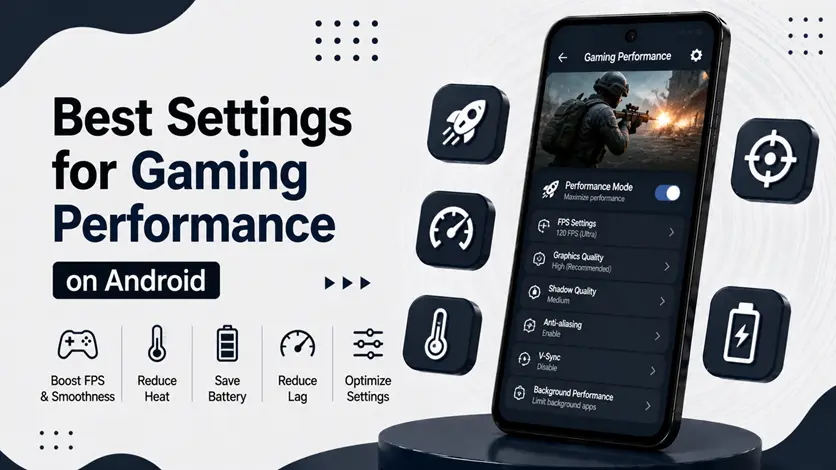
🎮 Best Settings for Gaming Performance on Android
🚀 1. Enable Game Mode (Highest Priority)
Most Android phones come with built-in Game Mode / Game Booster.
👉 It helps by:
- Prioritizing CPU & GPU for games
- Blocking notifications
- Reducing background activity
📍 How to enable:
- Settings → Special Features → Game Mode (varies by device)
👉 This is the first setting you should turn on before gaming.
🔄 2. Limit Background Apps (Reduce Lag)
Background apps consume RAM and CPU, causing FPS drops.
👉 Before gaming:
- Close unused apps
- Disable auto-start apps
👉 For a complete guide, check how to reduce background apps on Android to boost speed and save battery.
⚙️ 3. Adjust Animation Scale (Boost Responsiveness)
Animations slow down system responsiveness, especially during gaming.
📍 Steps:
- Enable Developer Options
- Set:
- Window animation scale → 0.5x or OFF
- Transition animation scale → 0.5x
- Animator duration scale → 0.5x
👉 For full system optimization, you can follow the best settings for Android performance (boost speed & reduce lag).
🔋 4. Optimize Battery Settings for Gaming
Battery optimization can sometimes limit performance.
👉 What to do:
- Disable aggressive battery saver
- Allow full performance for games
- Restrict battery usage for background apps
🌡️ 5. Prevent Overheating (Critical for FPS)
Heat is one of the biggest reasons for performance drops.
👉 When your phone heats up:
- CPU slows down
- FPS drops
- Gameplay becomes unstable
👉 To fix this, follow the guide on why your phone is overheating (top reasons & easy fixes).
🎯 6. Lower In-Game Graphics Settings
Even the best phone can lag if graphics are too high.
👉 Recommended:
- Graphics → Medium
- Frame Rate → High
- Shadows → Off (if needed)
👉 Balanced settings = smoother gameplay.
🧹 7. Clear Cache Before Gaming
Apps store temporary data that can slow down performance.
👉 Before gaming:
- Clear cache of heavy apps
- Restart device
👉 This frees up system resources.
📂 8. Keep Storage Space Free
Low storage affects game performance.
👉 If your storage is nearly full:
- Games load slower
- Lag increases
👉 Always keep at least 20–25% free space.
🎮 9. Use Game Launcher Apps (Advanced Boost)
Game launcher apps can:
- Optimize RAM
- Block notifications
- Improve FPS
👉 These tools are especially useful for heavy multiplayer games.
👉 To further improve gaming performance and reduce lag, you can use game launcher apps that optimize RAM and stabilize FPS. Check the best game launcher apps for Android for better gameplay.
⚠️ Common Mistakes Gamers Make
Avoid these:
- Playing while charging
- Using maximum brightness
- Running multiple apps in background
- Ignoring overheating
👉 These reduce performance significantly.
👍 My Recommendations
For best gaming performance:
- Keep your phone cool
- Use balanced graphics settings
- Optimize before every session
👉 Consistency matters more than one-time fixes.
⚡ Pro Tips (Real Gamer Setup)
- Restart phone before long sessions
- Use Wi-Fi instead of mobile data
- Remove phone case if overheating
- Play in a cool environment
👉 These give noticeable improvement.
🧠 Best Gaming Performance Strategy
Follow this system:
Prepare → Optimize → Play
- Prepare your device
- Optimize settings
- Play with stable performance
👉 This ensures smooth gameplay every time.
🎯 Final Thoughts
Gaming performance is not just about hardware — it’s about optimization.
👉 With the right settings, even a mid-range phone can deliver smooth and enjoyable gameplay.
👉 Start with simple changes, stay consistent, and you’ll see a big difference in your gaming experience.