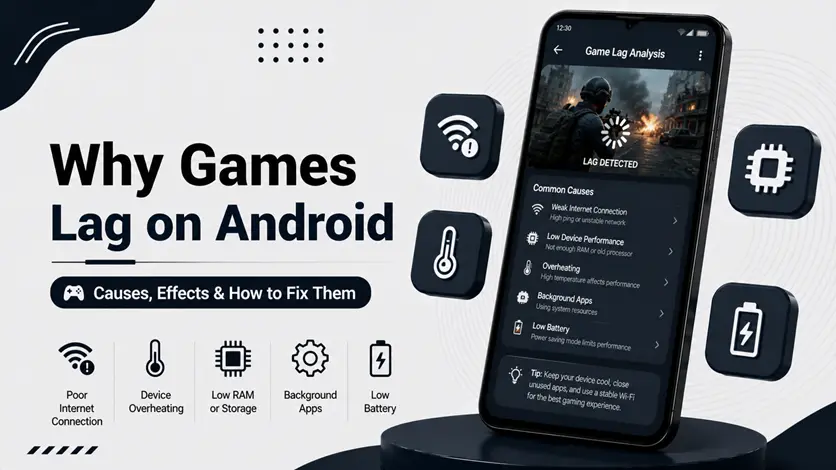
Ever wondered why your games lag — even on a good phone?
You’re not alone.
Many gamers assume lag means a slow phone, but in reality, lag is caused by multiple factors like FPS drops, network delay, and system limitations.
👉 If you want to experience smooth gameplay, try testing with the best multiplayer competitive games for Android (online & offline) where performance differences are easy to notice.
In this guide, you’ll understand what actually causes lag in Android games – explained simply.
🧠 What is “Lag” in Gaming?
Lag is not just one problem — it can be:
- FPS lag (frame drops)
- Network lag (high ping)
- Input lag (delay in response)
👉 Each has a different cause.
🔥 Top Reasons Why Games Lag on Android
🎯 1. FPS Drops (Frame Rate Issues)
FPS = frames per second.
👉 When FPS drops:
- Gameplay becomes choppy
- Movement feels slow
👉 Cause:
- High graphics load
- GPU overload
📶 2. Network Latency (Ping)
Online games depend on servers.
👉 High ping causes:
- Delay in actions
- Players teleporting
👉 This is NOT device issue
🔥 3. Thermal Throttling (Heat Control)
When your phone gets hot:
- CPU slows down
- Performance drops
👉 This is called thermal throttling
👉 To understand more, check why your phone is overheating (top reasons & easy fixes).
🧠 4. CPU & GPU Bottleneck
Games require:
- CPU → logic processing
- GPU → graphics rendering
👉 When overloaded:
- FPS drops
- Lag increases
🎮 5. Poor Game Optimization
Some games are not well optimized.
👉 Even good phones lag in:
- New or heavy games
- Poorly coded apps
📱 6. Background Resource Conflicts
Even without many apps open:
- System processes still run
- RAM gets fragmented
👉 Learn how to reduce background apps on Android (boost speed & save battery) for better performance.
🔄 7. Server-Side Issues
Sometimes:
- Game servers are overloaded
- Maintenance is ongoing
👉 Nothing you can fix locally
🔧 Now Fix the Lag (Step-by-Step Guide):
Now that you understand the real reasons behind lag—whether it’s FPS drops, network latency, or thermal throttling—the next step is fixing it properly.
👉 You can follow the complete guide on how to reduce lag in Android games (fix FPS drops & ping issues) to apply practical solutions and improve your gameplay experience.
⚠️ Common Misconceptions
- Lag = bad phone ❌
- More RAM = no lag ❌
- High graphics = better experience ❌
👉 These are myths
👍 My Recommendations
- Identify type of lag first
- Don’t blame hardware immediately
- Focus on real cause
🧠 Best Understanding Strategy
Follow this:
Identify → Understand → Fix
- Identify lag type
- Understand cause
- Apply correct fix
🎯 Final Thoughts
Lag in Android games is a combination of technical factors — not just one issue.
👉 Once you understand the real cause, fixing it becomes much easier.