Want your Android home screen to look modern, clean, and functional at the same time?
Widgets are the secret.
Instead of opening apps again and again, widgets let you see important information instantly — like time, weather, calendar, battery, and more — right on your home screen.
But here’s the difference…
👉 Basic widgets look ordinary.
👉 The right widget apps can make your phone look premium and professionally designed.
👉 If you want a complete transformation, you can explore the best Android personalization apps (customize your phone like a pro) to build a fully customized setup.
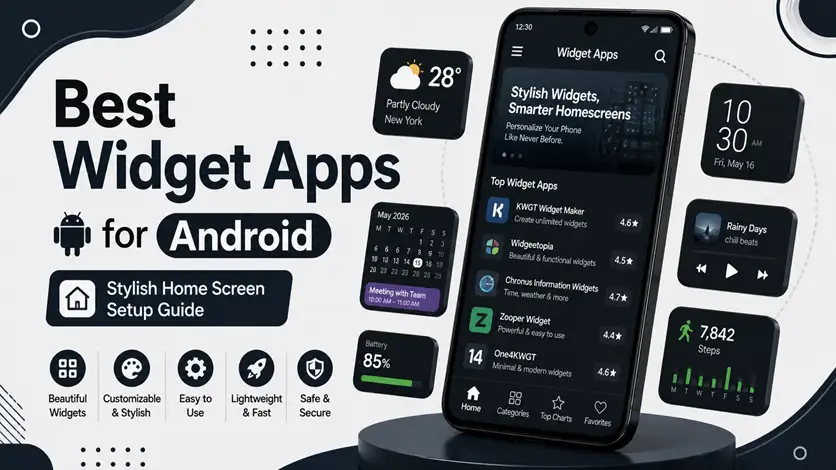
In this guide, you’ll discover the best widget apps for Android that combine style, functionality, and smooth performance.
⚡ Quick Picks (Top Widget Apps)
- 🥇 Best overall → KWGT Kustom Widget Maker
- 🎯 Best simple widgets → Google Widgets
- 🔥 Best aesthetic setup → Widgets iOS 16 Style
- ⚡ Best minimal look → Overdrop Widgets
🎨 Best Widget Apps for Android
🥇 1. KWGT Kustom Widget Maker (Ultimate Customization Tool)
KWGT is one of the most powerful widget apps available for Android.
👉 It allows you to create completely custom widgets from scratch or use ready-made templates.
⭐ Features:
- Fully customizable widgets
- Thousands of preset designs
- Supports weather, clock, battery, and more
👉 Best for users who want full control over their home screen design.
🎯 2. Google Widgets (Simple & Clean UI)
Google’s built-in widgets are designed for simplicity and performance.
👉 They include:
- Clock and weather widgets
- Calendar overview
- Google search widget
👉 These widgets are lightweight, fast, and perfect for users who want a clean and minimal setup without complexity.
🔥 3. Widgets iOS 16 Style (Modern Aesthetic Look)
This app brings an iOS-style widget experience to Android.
👉 It offers:
- Stylish and modern layouts
- Pre-designed widget packs
- Easy customization options
👉 Perfect for users who want a trendy and visually appealing home screen.
⚡ 4. Overdrop Widgets (Weather & Minimal Design)
Overdrop is known for its beautiful weather widgets and minimal UI design.
👉 It provides:
- Elegant weather widgets
- Clean typography
- Smooth animations
👉 Ideal for users who prefer a minimal and informative home screen.
🧠 5. Chronus Widgets (All-in-One Dashboard)
Chronus combines multiple widgets into one powerful dashboard.
👉 It includes:
- Clock, weather, and news
- Calendar integration
- Customizable layouts
👉 A great choice for users who want everything in one place without cluttering the screen.
🔗 Build a Complete Home Screen Setup
Widgets alone are powerful — but they work best with other customization tools.
👉 To fully customize your device, follow the complete guide on how to customize your Android phone (clean & premium look).
👉 You can enhance visuals further using the best icon pack apps for Android (make your home screen look professional and stylish).
👉 For full control over layout and gestures, explore the best launcher apps for Android (complete UI transformation guide).
⚠️ Common Mistakes to Avoid
Avoid these:
- Adding too many widgets
- Using heavy widgets on low-end devices
- Mixing different design styles
👉 Keep your setup simple and consistent.
👍 My Recommendations
For best results:
- Use 1–2 widgets per screen
- Match widget style with icons and wallpaper
- Choose lightweight apps
👉 Balance design and performance.
⚡ Pro Tips
- Use minimal widgets for a clean look
- Avoid overcrowding your home screen
- Use dark themes for better contrast
- Adjust widget size properly
👉 Small tweaks make your setup look professional.
🧠 Best Widget Strategy
Follow this:
Choose → Place → Balance
- Choose useful widgets
- Place them wisely
- Keep balance in design
👉 This creates a clean and stylish home screen.
🎯 Final Thoughts
Widgets are one of the most powerful tools for Android personalization.
👉 With the right apps, you can create a home screen that is not only beautiful but also functional.
👉 Start simple, experiment with styles, and build a setup that fits your daily needs.