
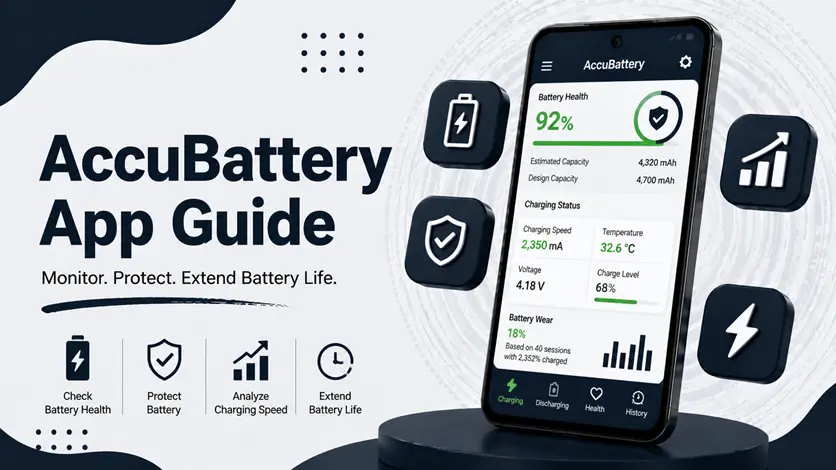
Is your phone’s battery draining faster than it used to?
Over time, every battery loses capacity — but most users don’t notice until it starts affecting daily usage.
👉 The good news is: you can monitor and improve your battery health.
That’s where AccuBattery comes in.
Unlike simple battery apps, AccuBattery helps you understand battery wear, track charging habits, and improve battery lifespan over time.
In this guide, you’ll learn how to use AccuBattery properly, how to read its data, and how to extend your battery life using real insights.
⚡ What is AccuBattery & Why It’s Different
AccuBattery is a smart battery monitoring app that focuses on long-term battery health, not just real-time data.
👉 It helps you:
- Estimate battery health (capacity)
- Track charging speed
- Measure battery wear
- Monitor app usage impact
👉 If your phone also feels slow, it’s worth checking the guide to make your Android phone faster and boost performance, since battery condition can affect overall speed.
🔧 How to Use AccuBattery (Step-by-Step Guide)
📲 1. Install & Set Up
- Download from Play Store
- Open the app
- Grant required permissions
👉 The app starts learning your battery behavior over time.
🔋 2. Use Your Phone Normally
AccuBattery works best when you:
- Charge regularly
- Use phone normally
- Let it collect data over a few days
👉 More data = more accurate results
📊 3. Check Main Sections
AccuBattery has key tabs:
- Charging tab → charging speed & current
- Health tab → battery capacity
- Usage tab → battery drain per app
👉 Focus on Health + Charging tabs
📊 How to Understand Battery Health (Important)
🔋 What is Battery Health?
Battery health shows how much capacity your battery still has compared to when it was new.
📉 Example:
- 100% → New battery
- 90% → Slight wear
- 75% → Noticeable degradation
- Below 70% → Poor condition
👉 Lower health = faster battery drain
🧠 What Affects Battery Health?
- Overcharging
- Heat
- Fast charging regularly
- Full 0–100% cycles
👉 That’s why tracking matters.
⚡ Charging Insights (What You Should Know)
AccuBattery shows:
- Charging speed
- Charging time
- Battery wear
🔋 Ideal Charging Range
👉 Best practice:
- Keep battery between 20% – 80%
👉 This reduces long-term battery damage
🔔 Charging Alarm Feature
AccuBattery can notify you when:
- Battery reaches 80%
👉 This helps you avoid overcharging.
👉 If your charging feels slow, you can also use tools like Ampere to measure real-time current — or explore the best apps to check battery health and charging speed on Android for more options.
⚠️ Common Mistakes Users Make
❌ 1. Expecting Instant Results
👉 AccuBattery needs time
- At least 2–3 days of data
❌ 2. Charging to 100% Every Time
👉 Causes faster battery wear
❌ 3. Ignoring Heat
👉 High temperature damages battery quickly
👉 If your phone overheats during charging, it’s important to understand the reasons behind it — check the guide on why your phone is overheating and how to fix it.
🔍 Accuracy & Limitations
⚠️ Important Notes
- Health estimation is approximate
- Depends on usage patterns
- More data = better accuracy
👉 It’s a smart estimation tool, not exact measurement.
🆚 AccuBattery vs Ampere vs Battery Guru
🔋 AccuBattery
- Focus → long-term battery health
- Best for → tracking battery wear
⚡ Ampere
- Focus → real-time charging speed
- Best for → checking charger/cable
📱 Battery Guru
- Focus → full battery analytics
- Best for → advanced users
👉 Best strategy:
- Use AccuBattery daily
- Use Ampere when needed
👍 When You Should Use AccuBattery
Use it if:
- Battery drains quickly
- Charging habits are unknown
- You want to extend battery life
- Phone is older
👉 It helps you understand your battery deeply.
⚡ Pro Tips (Very Effective)
- Avoid charging overnight
- Keep phone cool while charging
- Limit fast charging usage
- Close heavy apps while charging
👉 These habits protect battery health.
👉 Also, keeping your phone clean helps overall performance — make sure to clear cache on Android regularly to reduce system load.
🧠 Best Strategy for Long-Term Battery Health
Follow this:
Monitor → Adjust → Maintain
- Monitor using AccuBattery
- Adjust charging habits
- Maintain consistency
👉 This extends battery lifespan significantly.
🎯 Final Thoughts
AccuBattery is not just an app — it’s a tool that helps you understand how your battery behaves.
👉 With the right insights, you can improve battery life, reduce wear, and keep your phone running smoothly for longer.
👉 Start using it today, and you’ll notice better battery performance over time.

