
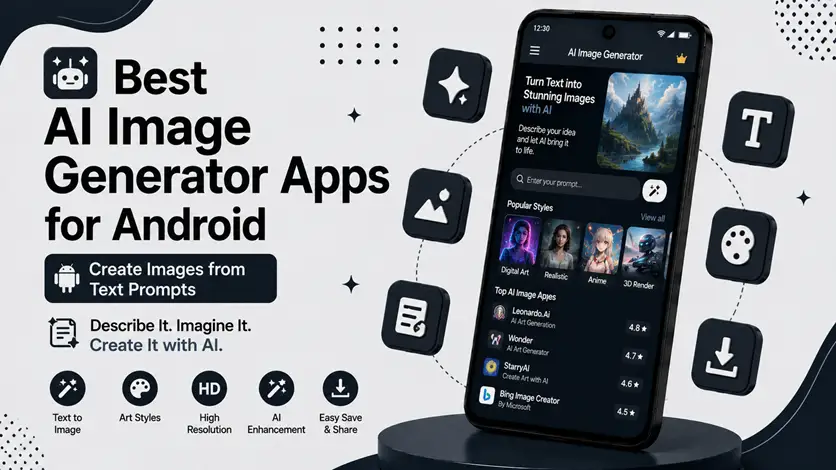
Creating digital art and unique images no longer requires advanced design skills or expensive software.
With modern AI image generator apps, you can now create stunning visuals simply by typing a text prompt.
For example, you can generate:
- Fantasy artwork
- Anime-style images
- Wallpapers
- AI avatars
- Concept art
- Social media graphics
all directly from your Android phone.
But here’s something important:
👉 AI image generation is completely different from photo enhancement or editing.
Photo enhancer apps improve existing images, while AI image generators create entirely new images from text prompts using artificial intelligence.
👉 If you’re looking for apps that improve image quality instead, you can explore the best AI photo enhancer apps for Android.
In this guide, we’ll focus specifically on the best AI image generator apps for Android that create original visuals from your ideas and prompts.
🧠 What Are AI Image Generator Apps?
AI image generator apps use artificial intelligence models to convert text descriptions into images.
For example, if you type:
“Cyberpunk city at night with neon lights”
The AI creates a completely original image based on that description.
These apps are becoming popular because they allow users to:
- Create digital art instantly
- Generate wallpapers and designs
- Make unique social media content
- Experiment creatively without design skills
👉 In simple words:
You describe the image, and the AI creates it for you.
⚡ Why AI Image Generation Is Different from Photo Editing
This is where many people get confused.
❌ AI Photo Enhancer Apps
- Improve existing photos
- Sharpen blurry images
- Restore old pictures
- Edit backgrounds
✅ AI Image Generator Apps
- Create entirely new images
- Use text prompts
- Generate AI art from imagination
- Produce original visuals
👉 These are two completely different categories of apps.
🔥 Best AI Image Generator Apps for Android
🥇 1. Imagine AI Art Generator (Best Overall)
Imagine AI Art Generator is one of the most popular apps for creating AI-generated artwork directly from text prompts.
👉 Simply describe your idea, and the app generates detailed visuals within seconds.
✅ Features
- Text-to-image generation
- Multiple art styles
- Anime and fantasy modes
- AI wallpaper creation
🎯 Why It’s Popular
The app is beginner-friendly while still producing impressive AI artwork.
💡 Best For
- AI art beginners
- Social media creators
- Wallpaper generation
🎨 2. Dream by WOMBO (Best for Creative Art Styles)
Dream by WOMBO focuses heavily on artistic and creative AI image generation.
👉 It supports:
- Abstract art
- Fantasy scenes
- Anime-inspired styles
- Digital painting effects
✅ Features
- One-tap AI art generation
- Multiple visual styles
- Fast rendering
- Creative prompt suggestions
🎯 Why It’s Useful
Perfect for users who want artistic and visually unique results without complicated settings.
⚡ 3. StarryAI (Best for Detailed AI Artwork)
StarryAI is known for producing highly detailed and polished AI-generated images.
👉 It gives users more control over:
- Prompt styling
- Artistic direction
- Image refinement
✅ Features
- Detailed AI image rendering
- Style customization
- AI artwork ownership options
- High-quality exports
🎯 Why It’s Useful
Ideal for users who want more advanced creative control.
🧠 4. Canva AI Image Generator (Best for Social Media Content)
Canva now includes AI image generation tools inside its design platform.
👉 This makes it easier to:
- Generate images
- Add text and graphics
- Create social media posts
✅ Features
- AI-generated visuals
- Easy editing tools
- Templates for Instagram, YouTube, and more
- Beginner-friendly interface
🎯 Why It’s Useful
Best for creators who want both AI generation and simple design tools in one app.
👉 If you also create captions or written content, you can explore the best AI writing apps for Android (content, notes & emails) to improve your creative workflow.
🌌 5. Leonardo AI (Best for Advanced AI Creators)
Leonardo AI is becoming increasingly popular among advanced users and digital artists.
👉 It focuses on:
- Detailed concept art
- Character design
- Game-style visuals
- Creative experimentation
✅ Features
- Advanced prompt control
- High-quality image generation
- Multiple creative models
- Detailed AI rendering
🎯 Why It’s Useful
Perfect for users who want professional-level AI-generated visuals.
⚠️ Common Mistakes When Using AI Image Generators
Avoid these common mistakes:
- Using overly short prompts
- Expecting perfect results instantly
- Copying copyrighted styles too closely
- Overusing filters and effects
👉 Better prompts usually create better AI-generated images.
👍 My Recommendations
🥇 Best Overall
Imagine AI Art Generator
🎨 Best for Artistic Styles
Dream by WOMBO
⚡ Best for Social Media Creators
Canva AI
🧠 Best for Advanced Users
Leonardo AI
👉 Start with simple prompts and experiment gradually.
⚡ Pro Tips for Better AI Prompts
- Be specific with descriptions
- Mention colors, lighting, and style
- Use detailed scene descriptions
- Experiment with multiple variations
👉 Example:
Instead of:
“City”
Try:
“Futuristic neon cyberpunk city at night with rain reflections”
🧠 Best AI Image Creation Workflow
Follow this process:
Idea → Prompt → Generate → Refine
- Think of an idea
- Write a detailed prompt
- Generate the image
- Refine and improve results
👉 This helps create more accurate and visually impressive AI art.
🔗 Improve Your Creative Workflow
AI image generation works even better when combined with other creative tools.
👉 To improve your creative productivity, you can also explore the best AI apps for Android (work smarter & boost productivity).
👉 You can also follow the daily productivity apps routine (best apps combo guide) to combine these tools effectively.
🎯 Final Thoughts
AI image generator apps are changing how people create digital art and visual content.
👉 Instead of needing advanced editing skills, you can now turn simple text prompts into impressive AI-generated visuals directly from your phone.
👉 Whether you want wallpapers, social media graphics, fantasy art, or creative experiments, these apps make AI creativity accessible to everyone.
Start simple, experiment with prompts, and gradually develop your own AI art style over time.

