
Have you ever taken a photo that looked blurry, low-quality, or just not as good as you expected?
You’re not alone.
With modern smartphones, we take hundreds of photos — but not all of them turn out perfect. Lighting issues, low resolution, and camera limitations can affect image quality.
👉 The good news is: AI photo enhancer apps can fix this instantly.
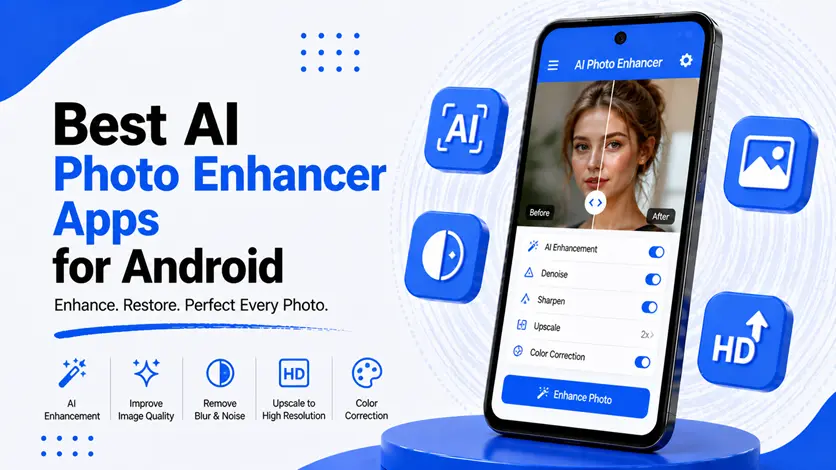
These apps use artificial intelligence to sharpen images, improve details, enhance colors, and even restore old photos with just one tap.
In this guide, you’ll discover the best AI photo enhancer apps for Android, how they work, and which one is right for you.
⚡ Quick Picks (Fast Overview)
- 🧠 Best overall → Remini
- 📸 Best for restoration → EnhancerFox
- 🎨 Best all-in-one editor → PicsArt
- 🧼 Best for background cleanup → PhotoRoom
- ⚡ Best lightweight option → Snapseed
🧠 What is an AI Photo Enhancer?
AI photo enhancer apps use machine learning algorithms to:
- Improve image sharpness
- Reduce noise and blur
- Enhance colors and lighting
- Restore old or damaged photos
👉 Instead of manual editing, AI does everything automatically.
🚀 Best AI Photo Enhancer Apps for Android
📸 1. EnhancerFox
EnhancerFox is a powerful AI-based photo enhancer designed to restore and improve image quality with minimal effort. It works especially well for blurry photos, old pictures, and low-resolution images.
👉 The app uses advanced AI algorithms to sharpen details, improve facial clarity, and enhance overall image quality. It can turn low-quality images into clearer, more professional-looking photos in seconds.
It’s a great choice for users who want quick results without learning complex editing tools.
⭐ Features:
- AI photo enhancement
- Face detail improvement
- Old photo restoration
- One-tap processing
🎯 Best for:
Restoring old photos and improving low-quality images
👉 For a complete step-by-step guide, you can explore the EnhancerFox App Review (AI Photo Enhancer to Improve Image Quality on Android).
🧠 2. Remini
Remini is one of the most popular AI photo enhancer apps known for its powerful image reconstruction technology. It specializes in turning blurry or pixelated photos into sharp, high-quality images.
👉 It uses deep learning models to rebuild missing details, especially in faces, making portraits look clearer and more natural.
⭐ Features:
- AI face enhancement
- High-quality image restoration
- Video enhancement support
- Easy-to-use interface
🎯 Best for:
Improving selfies and portrait photos
👉 For a complete step-by-step guide, you can explore the Remini App Review (AI Photo Enhancer for High-Quality Face & Image Restoration).
🎨 3. PicsArt
PicsArt is an all-in-one photo editing app that includes AI-powered enhancement tools along with advanced editing features. It’s perfect for users who want both automation and manual control.
👉 In addition to AI enhancement, you can edit images, apply filters, remove backgrounds, and create creative designs.
⭐ Features:
- AI enhancement tools
- Advanced editing options
- Filters and effects
- Background removal
🎯 Best for:
Users who want full editing control with AI support
👉 If you want full editing control along with AI tools, check the PicsArt App Guide (Complete Photo Editing & AI Enhancement Tutorial for Android).
🧼 4. PhotoRoom
PhotoRoom is best known for background removal, but it also includes AI enhancement features to improve image clarity and quality.
👉 It’s especially useful for product photos, social media content, and professional-looking edits.
⭐ Features:
- Background removal
- AI image enhancement
- Object detection
- Clean editing interface
🎯 Best for:
Creating clean and professional images
👉 For detailed steps on creating professional images, see the PhotoRoom App Review (AI Background Remover & Image Enhancement Guide).
⚡ 5. Snapseed
Snapseed is a lightweight yet powerful photo editing app by Google. While it doesn’t focus purely on AI, it offers smart enhancement tools that can significantly improve image quality.
👉 It’s perfect for users who want a fast and simple editing experience without heavy apps.
⭐ Features:
- Smart enhancement tools
- Manual editing controls
- Lightweight performance
- No ads
🎯 Best for:
Quick edits and lightweight usage
👉 If you prefer a lightweight editor with powerful tools, explore the Snapseed App Guide (Professional Photo Editing Made Simple on Android).
🔗 Improve Your Device Performance for Better Editing
Photo editing apps can be resource-heavy, especially AI-based ones.
👉 If your phone feels slow while editing photos, you can follow the complete guide to make your Android phone faster and boost performance.
⚠️ Common Mistakes to Avoid
Avoid these mistakes:
- Using too many editing apps
- Over-editing images
- Ignoring storage space
- Using low-quality source images
👉 Even AI works better with good input images.
👍 My Recommendations
- Use 1–2 trusted apps only
- Choose apps based on your needs
- Keep your phone optimized
👉 Simplicity gives better results.
⚡ Pro Tips
- Always start with high-resolution photos
- Use AI enhancement before manual editing
- Save original images as backup
👉 These small steps improve results significantly.
🧠 Best Overall Strategy
Follow this:
Enhance → Adjust → Optimize
- Enhance using AI
- Adjust manually if needed
- Optimize your device
👉 This gives the best results.
🎯 Final Thoughts
AI photo enhancer apps have made photo editing easier than ever.
👉 You no longer need professional skills — just the right app.
👉 Start with simple tools like EnhancerFox or Remini, and you’ll instantly see the difference in your photos.
As you explore more apps, you can build your own editing workflow and get even better results.

