
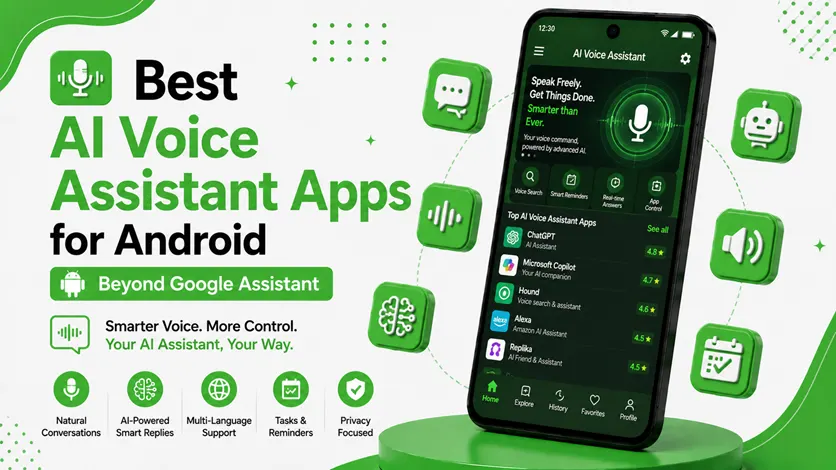
Voice assistants have become a regular part of how people use smartphones today.
From setting reminders and sending messages to controlling smart devices, voice assistants help make everyday tasks faster and more convenient.
For years, Google Assistant has been the default choice for Android users. But in 2026, many users are now exploring alternative AI voice assistants that offer:
- Smarter conversations
- Better productivity tools
- Advanced AI features
- More personalization
- Different user experiences
Some AI assistants focus on productivity, while others are designed for conversations, automation, or smart home control.
👉 If you already use AI productivity tools, you can also explore the best AI apps for Android (work smarter, save time & boost productivity) to build a smarter workflow.
In this guide, we’ll explore the best AI voice assistant apps for Android beyond Google Assistant and understand how they can improve your daily smartphone experience.
🧠 Why People Are Looking Beyond Google Assistant
Google Assistant is still powerful, but many users now want:
- More conversational AI
- Better AI-generated responses
- Smarter productivity integration
- Enhanced privacy controls
- New AI-powered features
Modern AI assistants are becoming more than simple voice command tools.
They now help with:
- Writing
- Research
- Scheduling
- AI conversations
- Workflow management
👉 In simple words:
AI voice assistants are evolving from “command tools” into full productivity companions.
⚡ What Makes a Good AI Voice Assistant?
A good AI assistant should:
- Understand voice commands accurately
- Respond naturally
- Save time on daily tasks
- Integrate smoothly with apps and workflows
The best assistants usually combine:
- Voice interaction
- AI conversation
- Productivity support
- Smart automation
👉 The goal is to make your phone feel smarter and easier to use.
🔥 Best AI Voice Assistant Apps for Android
🥇 1. ChatGPT Voice (Best Overall AI Assistant)
ChatGPT Voice is becoming one of the most advanced conversational AI assistants available on Android.
👉 Unlike traditional assistants, it focuses more on:
- Natural conversations
- Smart responses
- Content assistance
- Productivity support
✅ Features
- AI voice conversations
- Smart answers and explanations
- Writing and brainstorming help
- Multi-purpose AI assistant
🎯 Why It’s Popular
It feels more conversational and intelligent than many traditional assistants.
💡 Best For
- Productivity users
- Students
- Content creators
- Everyday AI assistance
👉 If you also create content or emails, you can explore the best AI writing apps for Android (content, notes & emails).
⚡ 2. Amazon Alexa (Best for Smart Home Control)
Alexa remains one of the best assistants for controlling smart devices.
👉 It works well with:
- Smart lights
- TVs
- Speakers
- Home automation devices
✅ Features
- Voice-controlled smart home support
- Music and entertainment integration
- Shopping and reminders
- Multi-device compatibility
🎯 Why It’s Useful
Perfect for users who want a strong smart home ecosystem.
🧠 3. Samsung Bixby (Best for Samsung Users)
Bixby is deeply integrated into Samsung devices and offers strong device-level control.
👉 It can:
- Change settings
- Open apps
- Create routines
- Automate phone actions
✅ Features
- Deep Samsung integration
- Voice-based phone control
- Smart routines
- Automation support
🎯 Why It’s Useful
Best for Samsung users who want built-in AI assistance and automation.
👉 To improve automation further, you can also explore the best Android automation apps (save time with smart workflows).
🎯 4. Microsoft Copilot (Best for Productivity & Work)
Microsoft Copilot combines AI assistance with productivity tools.
👉 It helps users:
- Search information
- Write content
- Summarize text
- Manage productivity tasks
✅ Features
- AI productivity assistance
- Smart summaries
- Voice interaction
- Research support
🎯 Why It’s Useful
Ideal for users focused on work, productivity, and organization.
👉 You can also explore the best Android workflow apps (organize tasks & boost productivity) to build a complete productivity system.
🔊 5. Robin Voice Assistant (Best Lightweight Alternative)
Robin is a simpler voice assistant designed mainly for:
- Hands-free commands
- Driving support
- Basic voice actions
✅ Features
- Lightweight interface
- Navigation assistance
- Voice command support
- Easy accessibility
🎯 Why It’s Useful
Good for users who prefer a lightweight assistant without heavy AI features.
⚠️ Common Mistakes When Using AI Assistants
Avoid these mistakes:
- Giving overly vague voice commands
- Using too many assistants together
- Ignoring privacy settings
- Depending completely on AI responses
👉 AI assistants work best when used as supportive tools, not complete replacements for human decision-making.
👍 My Recommendations
🥇 Best Overall AI Assistant
ChatGPT Voice
🏠 Best Smart Home Assistant
Alexa
📱 Best for Samsung Users
Bixby
⚡ Best Productivity Assistant
Microsoft Copilot
👉 Choose based on how you use your phone daily.
⚡ Pro Tips for Better AI Assistant Experience
- Use clear voice commands
- Customize routines and shortcuts
- Combine assistants with automation tools
- Keep only one main assistant active
👉 A simple setup usually works best.
🧠 Best AI Assistant Workflow
Follow this system:
Command → Automate → Organize
- Use voice commands for quick actions
- Automate repetitive tasks
- Organize workflows efficiently
👉 This helps create a smarter Android experience.
🔗 Build a Smarter Productivity System
AI assistants become much more useful when combined with other productivity tools.
👉 To organize your work better, explore the best apps for time management (stay organized & productive).
👉 You can also follow the daily productivity apps routine (best apps combo guide) to combine AI tools effectively.
🎯 Final Thoughts
AI voice assistants are evolving rapidly and becoming much smarter than traditional voice command systems.
👉 Beyond Google Assistant, modern AI assistants now help with conversations, productivity, automation, and daily organization.
👉 Whether you want smarter productivity tools, better smart home control, or advanced AI conversations, there are now many excellent options available for Android users.
Start with the assistant that matches your daily needs and gradually build a smarter workflow around it.

