Looking for a powerful photo editing app that’s completely free, lightweight, and easy to use?
Most editing apps today are either filled with ads or locked behind subscriptions. But what if you could get professional-level editing tools without any cost?
👉 That’s where Snapseed stands out.
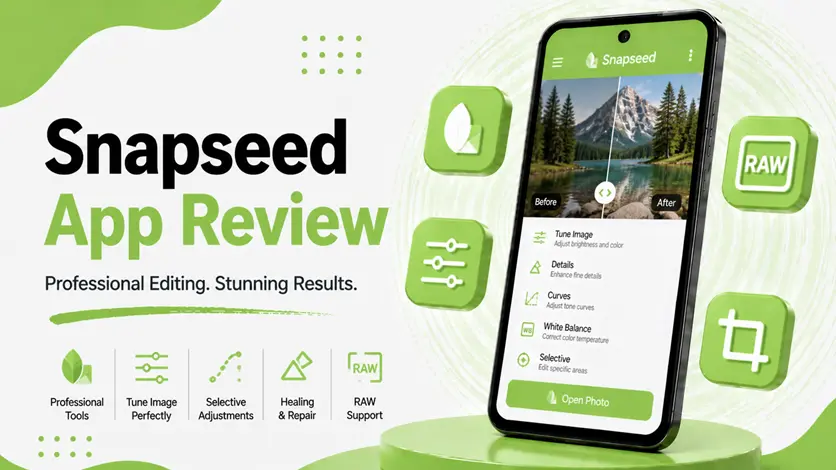
Snapseed is a photo editing app developed by Google that offers advanced editing tools, smart filters, and precise controls — all in a clean and user-friendly interface.
In this guide, you’ll learn how Snapseed works, how to use it effectively, and whether it’s worth using in 2026.
⚡ What is Snapseed?
Snapseed is a professional photo editing app designed for users who want high-quality results without heavy apps or complicated workflows.
👉 It allows you to:
- Enhance image quality
- Adjust brightness, contrast, and colors
- Apply filters and effects
- Edit photos with precision
Unlike AI-only apps, Snapseed gives you manual control with smart enhancement tools.
👉 If you want automatic AI enhancement, check the best AI photo enhancer apps for Android for easier one-tap solutions.
🔧 How to Use Snapseed (Step-by-Step Guide)
📲 1. Install the App
- Download Snapseed from Play Store
- Open the app
- Tap anywhere to start
👉 No sign-in required.
📸 2. Import Your Photo
- Select image from gallery
- Open it in editor
👉 Works with:
- Photos
- RAW images
- High-resolution images
🎨 3. Use Editing Tools
Snapseed provides powerful tools like:
- Tune Image (brightness, contrast, saturation)
- Details (sharpening and structure)
- Crop and rotate
- Healing (remove unwanted objects)
👉 These tools give you precise control.
✨ 4. Apply Filters & Effects
You can use:
- HDR Scape
- Drama
- Vintage filters
👉 Helps enhance overall look quickly.
💾 5. Save or Export
- Save edited image
- Export in high quality
- Share directly
📊 Real Results (What Makes Snapseed Powerful)
Snapseed is known for its precision editing.
👉 Best for:
- Professional editing
- Fine adjustments
- Clean and natural results
👉 Results:
- Balanced colors
- Sharper details
- Natural-looking edits
👉 However:
- Requires some learning
- No AI auto-enhancement like other apps
⚠️ Pros and Cons
✅ Pros
- Completely free (no ads)
- Professional editing tools
- Lightweight and fast
- Clean interface
❌ Cons
- No automatic AI enhancement
- Slight learning curve
- Limited creative templates
🆚 Snapseed vs Other AI Photo Apps
📸 Snapseed vs EnhancerFox
- Snapseed → manual editing
- EnhancerFox → automatic AI enhancement
👉 For quick fixes, check the EnhancerFox app review (AI photo enhancer to improve image quality on Android).
🧠 Snapseed vs Remini
- Snapseed → full editing control
- Remini → face enhancement
👉 For portrait clarity, explore the Remini app review (AI photo enhancer for high-quality face restoration).
🎨 Snapseed vs PicsArt
- Snapseed → simple and precise
- PicsArt → creative and feature-rich
👉 For creative editing, see the PicsArt app review (complete photo editing & AI enhancement app).
🧼 Snapseed vs PhotoRoom
- Snapseed → manual editing
- PhotoRoom → background removal
👉 For background editing, check the PhotoRoom app review (AI background remover & image enhancement guide).
👉 For a complete overview, explore the best AI photo enhancer apps for Android.
👍 When Should You Use Snapseed?
Use Snapseed if:
- You want professional editing tools
- You prefer manual control
- You need a free and lightweight app
👉 It’s ideal for serious photo editing.
⚡ Pro Tips
- Use “Tune Image” first
- Apply sharpening carefully
- Avoid over-editing
👉 This ensures natural results.
🧠 Best Strategy for Using Snapseed
Follow this:
Adjust → Enhance → Finalize
- Adjust basic settings
- Enhance details
- Finalize image
👉 This gives best results.
🎯 Final Thoughts
Snapseed proves that you don’t need expensive tools for professional photo editing.
👉 With the right usage, it can produce high-quality results that rival premium apps.
👉 It may take some time to learn, but once mastered, it becomes a powerful editing tool.