
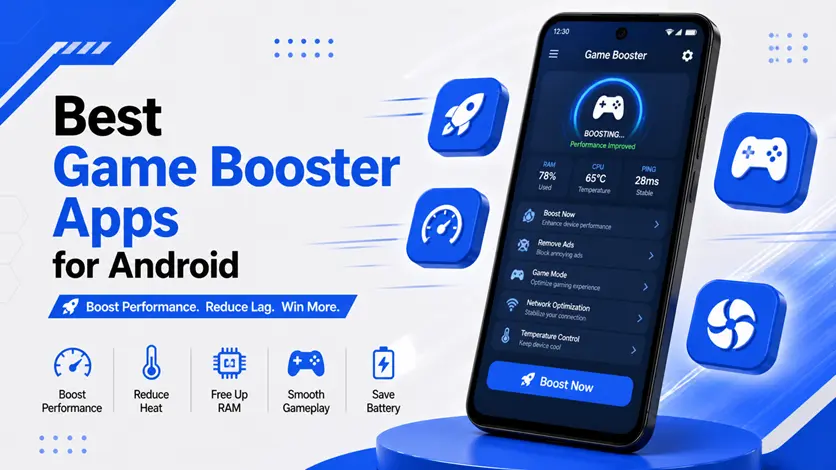
Do your games lag during intense moments? Experiencing frame drops, stuttering, or slow response while playing?
You’re not alone.
Modern Android games are more demanding than ever, and even good devices can struggle if system resources aren’t managed properly.
👉 The good news is: you don’t need a new phone.
Game booster apps can optimize your device, free up RAM, reduce lag, and improve FPS for smoother gameplay.
👉 If you play competitive or high-performance games regularly, you can explore the best multiplayer competitive games for Android (online & offline) to truly test your device’s performance and see the difference optimization can make.
In this guide, you’ll discover the best game booster apps for Android and how they can improve your gaming experience.
⚡ Quick Picks (Fast Overview)
- 🚀 Best overall → Game Booster 4x Faster
- 🎮 Best for simplicity → Game Booster Pro
- ⚙️ Best built-in tool → Game Mode (system apps)
- 🧠 Best for optimization → GFX Tool (advanced users)
🧠 What is a Game Booster App?
Game booster apps are designed to optimize your phone before and during gameplay.
👉 They work by:
- Closing background apps
- Freeing RAM
- Blocking notifications
- Stabilizing FPS
- Reducing system load
👉 Result: smoother and more responsive gaming.
🚀 Best Game Booster Apps for Android
🎮 1. Game Booster 4x Faster
This is one of the most popular game booster apps designed to improve gaming performance with a single tap.
👉 It automatically clears background processes, boosts RAM, and optimizes system resources before launching your game.
⭐ Features:
- One-tap boost
- RAM cleaner
- Notification blocker
- FPS stabilization
🎯 Best for:
Quick performance boost for all games
⚙️ 2. Game Booster Pro
Game Booster Pro offers a clean interface and focuses on simplicity while still delivering solid performance improvements.
👉 It helps reduce lag and improves gameplay stability without complicated settings.
⭐ Features:
- Simple interface
- Automatic optimization
- Background app control
🎯 Best for:
Beginner-friendly optimization
📱 3. Built-in Game Mode (System Tool)
Many Android devices include a built-in Game Mode that works even better than third-party apps.
👉 It prioritizes game performance by allocating CPU and GPU resources efficiently.
⭐ Features:
- No extra app needed
- System-level optimization
- Better performance control
🎯 Best for:
Users who prefer built-in solutions
🧠 4. GFX Tool (Advanced Users)
GFX Tool allows you to customize game graphics settings manually.
👉 You can tweak resolution, FPS limits, and rendering options to get smoother gameplay.
⭐ Features:
- Advanced graphics control
- FPS unlock options
- Custom resolution
🎯 Best for:
Advanced users and competitive gamers
🟡 Why Games Lag
👉 Many gamers assume lag is only due to a weak device, but in reality, it can be caused by FPS drops, network latency, or system limitations. To understand this better, you can check why games lag on Android (top reasons explained – FPS, ping & performance issues).
🟢 Benefits of game launcher apps
👉 Game launcher apps are one of the easiest ways to improve performance, but combining them with the right techniques gives even better results. You can follow the complete guide on how to reduce lag in Android games (fix FPS drops & ping issues) for a smoother gaming experience.
⚠️ Common Mistakes to Avoid
Avoid these mistakes:
- Installing too many booster apps
- Using unknown or unsafe apps
- Ignoring system optimization
- Playing while charging
👉 These can reduce performance instead of improving it.
👍 My Recommendations
For best results:
- Use only one trusted booster app
- Combine with system settings optimization
- Keep your phone clean and updated
👉 Balance is key.
⚡ Pro Tips
- Restart your phone before gaming
- Use Wi-Fi for stable connection
- Close unused apps manually
- Keep your device cool
👉 These improve gaming performance significantly.
🧠 Best Gaming Optimization Strategy
Follow this system:
Prepare → Boost → Play
- Prepare your device
- Boost using tools
- Play with smooth performance
👉 This ensures consistent gameplay.
For maximum performance, it’s important to configure your device properly along with using booster tools. You can explore the best settings for gaming performance on Android (boost FPS & reduce lag) to get the best results.
🎯 Final Thoughts
Game booster apps can make a noticeable difference in your gaming experience — especially on mid-range devices.
👉 While they’re not magic tools, when used correctly, they help reduce lag, stabilize FPS, and improve responsiveness.
👉 Combine them with proper settings and smart usage, and your games will feel much smoother.

